How to Create Classroom Lesson Slides Quickly: A Step-by-Step Guide
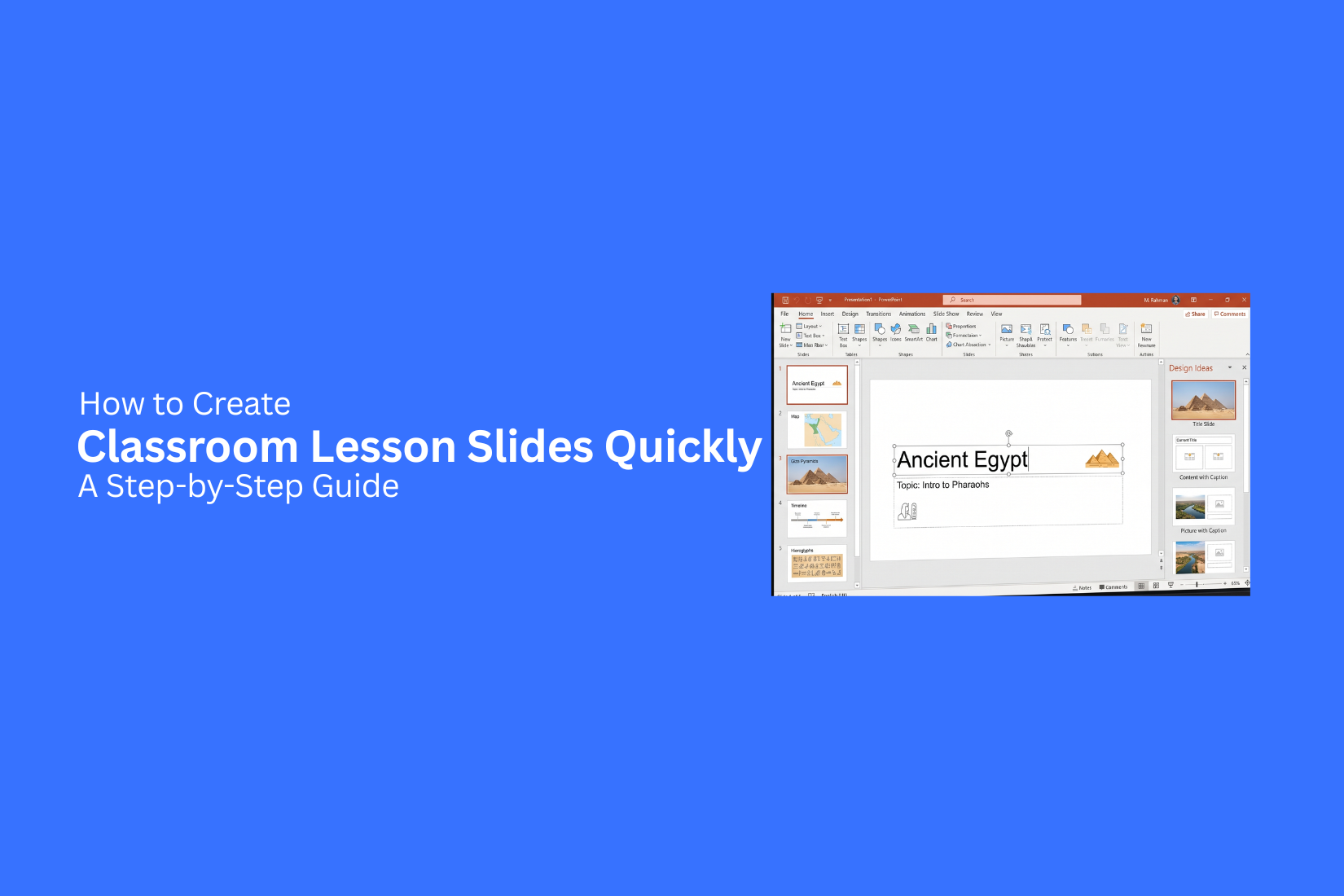
Creating classroom lesson slides can take hours. Teachers need to plan topics, arrange information, choose visuals, and format each slide. This extra work can make lesson preparation harder and reduce time for other teaching tasks.
A good lesson needs clear slides that help students follow the topic. Too much text, poor structure, or missing activities can make lessons less engaging. A slow slide creation process can also make updating lessons harder.
A simple step-by-step method can help teachers create classroom lesson slides with less effort. This guide shares practical steps, design tips, and time-saving ideas for making useful lesson slides. Teachers can build organized presentations that support better classroom learning and save planning time.
What Are Classroom Lesson Slides?
Classroom lesson slides are visual materials teachers use to explain topics during a lesson. They combine text, images, charts, examples, and activities to help students follow the lesson more easily. These slides act as a guide for both teachers and students. Teachers can use them to organize key points, explain ideas step by step, and keep the class focused on the main topic. A good lesson slide deck is clear and simple. It does not fill every slide with large blocks of text. Instead, it uses short points, helpful visuals, and a clean layout to make information easier to understand.
Classroom lesson slides can support many types of lessons. Teachers can use them for new topics, review sessions, group activities, and class discussions. They help create a clear path from the start of a lesson to the final activity. The best lesson slides match the needs of the students. They use language that fits the class level and include examples that connect with the topic. This helps students stay engaged and understand the lesson better.
Why Creating Lesson Slides Quickly Matters
Creating lesson slides can take a lot of time. Teachers often need to prepare content, arrange ideas, add visuals, and check if each slide supports the lesson goal. A simple process helps reduce this workload and gives teachers more time to focus on teaching.
Quick lesson slide creation does not mean making low-quality slides. It means using a clear structure, simple design choices, and useful tools to prepare lessons with less effort.
Saves Lesson Planning Time
Lesson planning includes many tasks beyond writing notes. Teachers need to organize topics, choose examples, and prepare activities. Creating slides quickly helps reduce the time spent on slide formatting and layout work. A ready structure makes it easier to add key points and arrange information. Teachers can spend more time improving lesson content instead of adjusting every small design detail.
Keeps Lessons Organized
Good lesson slides help teachers follow a clear teaching flow. Each slide can focus on one idea, making the lesson easier for students to follow. A simple slide structure also helps teachers keep track of important topics. It reduces the chance of missing key points during class and makes lessons easier to review later.
Gives More Time for Student Interaction
Class time is not only about presenting information. Students need time to ask questions, share ideas, and take part in activities. Creating slides in less time gives teachers more room to plan discussions and interactive tasks. Better preparation helps create a classroom where students can take part more actively.
Makes Updating Lessons Easier
Lessons often need changes. Teachers may need to add new examples, update facts, or adjust content for different classes. A well-organized slide system makes these updates simple. Teachers can edit existing slides instead of starting from the beginning. This saves time and helps keep lessons ready for future use.
How to Create Classroom Lesson Slides Quickly: Step-by-Step
Creating classroom lesson slides becomes easier with a clear plan. A good slide deck helps teachers explain topics, guide activities, and keep students engaged during class. Each slide should have a clear purpose and support the lesson goal. The steps below show how to build classroom lesson slides from start to finish.
Step 1: Start With a Ready-Made Template
A ready-made template helps you begin with a prepared slide structure. You do not need to create every layout from the beginning. This saves time and lets you focus more on the lesson content. Choose a template with simple designs and clear sections. Look for layouts that include spaces for titles, text, images, and activities. A clean template makes your slides easier for students to read. Pick a style that matches your subject. A science lesson may need more diagrams, while a language lesson may need more text sections. The template should support your teaching needs without adding extra distractions.
Step 2: Create a Simple Title Slide
The title slide sets the direction for your lesson. It should show the topic clearly so students know what the class will cover. Add the lesson title, subject name, and grade level. You can also include the date or teacher name if needed. Keep the design simple with enough space around the text. A crowded title slide can make the lesson feel confusing from the start. A clean layout creates a clear opening for students and prepares them for the topic ahead.
Step 3: Add Learning Objectives
Learning objectives explain what students will learn during the lesson. They give students a clear idea of the skills or knowledge they should gain. Write objectives using simple sentences. For example, students may learn how to solve a math problem, explain a science idea, or identify key points from a reading. Place the objectives near the beginning of the presentation. This helps students understand the purpose of the lesson before moving into the main content.
Step 4: Organize Content Into Clear Sections
A lesson slide deck works better with a clear structure. Divide the content into smaller sections that follow a logical order. Start with basic ideas before moving to harder topics. Use section slides or headings to show changes between topics. This helps students know where they are in the lesson. Avoid placing too much information on one slide. Break large topics into smaller parts. Each slide should focus on one main idea so students can follow along more easily.
Step 5: Use Images, Icons, and Diagrams
Visual elements can help explain ideas that are hard to understand through text alone. Images, icons, and diagrams can make lessons clearer and easier to remember. Choose visuals that connect with the lesson topic. A diagram can explain a process. A chart can show information. An image can help students understand a real example. Use visuals with a purpose. Too many images can distract students from the lesson. Each visual should support the message on the slide.
Step 6: Add Activities and Discussion Questions
Classroom lesson slides should include moments for student participation. Add activities, group tasks, and questions to create interaction during the lesson. Discussion questions can help students share their thoughts and explain their understanding. Short activities can help students practice new skills. Place activities at the right points in the lesson. A question after a new topic can help check understanding. A group task can help students apply what they learned.
Step 7: Include a Summary Slide
A summary slide reviews the main ideas from the lesson. It gives students a quick look at the key points they should remember. Use short bullet points instead of long paragraphs. Highlight the main concepts, terms, or steps covered during the class. This slide can also support class discussions. Teachers can use it to review the lesson and ask students questions about what they learned.
Step 8: Finish With a Quiz or Exit Ticket
A quiz or exit ticket helps check student understanding at the end of the lesson. It shows whether students understand the main topic or need more practice. Add short questions that match the lesson objectives. These questions can include multiple-choice answers, short responses, or problem-solving tasks. Exit tickets also give teachers useful feedback. The answers can show which parts of the lesson worked well and which topics need more explanation later.
Step 9: Review and Test the Presentation
A final review helps make sure your lesson slides are ready for the classroom. Check each slide for errors, missing details, and unclear instructions. Read the text carefully and make sure the font size is easy to read. Test videos, links, and other slide features before class starts. Review the lesson flow from a student's view. Make sure the slides move naturally from one topic to the next. A well-tested presentation helps teachers teach with confidence.
Best Practices for Classroom Lesson Slide Design
Good classroom lesson slides help students follow the topic and stay focused. A clear design makes information easier to understand. Each slide should support the lesson goal without adding extra distractions. These best practices can help teachers create slides that are simple, useful, and easy for students to follow.
Keep One Main Idea Per Slide
Each slide should focus on one main idea. Adding too many topics on one slide can make students lose focus. A single idea helps students understand the lesson step by step. For example, a science lesson slide can explain one process or one concept instead of covering an entire chapter. Teachers can use separate slides for definitions, examples, and activities. A focused slide also gives teachers more control during the lesson. It becomes easier to explain each point and check student understanding.
Use Large, Readable Fonts
Students need to read slide content from different areas of the classroom. Small text can make it hard for them to follow the lesson. Use clear fonts with a good size for headings and body text. Keep the font style simple. Avoid decorative fonts that may be difficult to read. Good font choices help students spend more time learning the content instead of trying to read the screen.
Limit Text and Highlight Key Points
Slides work best as a visual aid, not as a full lesson script. Too much text can distract students from the teacher’s explanation. Use short phrases, keywords, and bullet points to show the main ideas. Highlight important terms or facts so students know what to focus on. Teachers can add details through speaking, examples, and class discussions. The slide should guide the lesson, not replace it.
Choose Consistent Colors and Layouts
A consistent design helps students recognize the structure of the lesson. Use the same color style, font choices, and layout across all slides. For example, keep titles in the same place on each slide. Use similar styles for examples, questions, and activities. A simple layout keeps attention on the lesson content. Too many colors or design changes can make slides harder to follow.
Use Visuals to Support Learning
Visual elements can help explain ideas that are difficult to describe with words alone. Images, diagrams, charts, and icons can make lessons easier to understand. Choose visuals that match the topic and add value. Avoid adding images only for decoration. A history lesson may use a timeline or map. A math lesson may use shapes or graphs. The right visual can help students connect with the topic.
Make Slides Accessible for All Students
Classroom slides should work for students with different learning needs. Clear design choices can make lessons easier for everyone to access. Use strong contrast between text and background. Add alternative text for images in digital presentations. Avoid using color alone to share important information. Keep layouts simple and provide enough time for students to read each slide. Accessible slides create a better learning experience for the whole class.
Time-Saving Tips for Creating Lesson Slides
Creating lesson slides does not need to take hours. A few simple habits can help teachers prepare slides with less effort. Small changes, such as saving useful resources and using repeatable designs, can make the process easier.
Reuse Previous Lessons
Many lessons share similar topics, formats, or activities. Save your old lesson slides and update them for new classes. You can change examples, add new questions, or remove sections that are no longer needed. A previous lesson can also help you keep a steady teaching style. It gives you a starting point instead of creating every slide from the beginning.
Create a Personal Slide Library
A slide library keeps your most useful content in one place. Store title slides, activity slides, quiz layouts, diagrams, and classroom instructions. Organize files by subject, grade level, or topic. This makes it easier to find the right slide later. A well-organized library can save time during lesson planning.
Duplicate Slide Layouts
Creating the same type of slide again and again can take extra time. Use duplicate slides to keep the same structure for similar content. For example, you can create one question slide and copy it for different activities. Then, replace the text and images while keeping the same design.
Use Keyboard Shortcuts
Keyboard shortcuts help you complete common tasks faster. They reduce the need to search through menus for simple actions. Useful shortcuts include copying slides, pasting content, saving files, and moving between slides. Learning a few shortcuts can make slide creation smoother.
Work With Theme Colors and Fonts
Set your theme colors and fonts before adding content. This keeps every slide consistent and reduces design work later. Choose a few colors that match your classroom style. Pick fonts that are easy for students to read. A simple theme helps you create clean slides without adjusting each page.
Use AI Tools for Draft Content
AI tools can help create a first draft for lesson slides. They can suggest lesson ideas, write short explanations, create questions, or organize topics. Review and edit the content before using it in class. Add your own examples and teaching notes to make the slides fit your students' needs. AI can reduce writing time and help you start the slide creation process.
Common Mistakes to Avoid
Creating classroom lesson slides takes more than adding information to a page. Small design mistakes can make lessons harder for students to follow. Avoiding these common problems helps teachers create clear and useful slides.
Adding Too Much Text
Too much text can make slides feel crowded. Students may focus on reading instead of listening to the lesson. Use short points instead of long paragraphs. Add only the key ideas students need to know. Extra details can be explained during the lesson.
Using Distracting Animations
Animations can add movement to slides, but too many effects can take attention away from the lesson. Use simple effects that support the topic. Avoid adding animations to every text box or image. The content should stay as the main focus.
Choosing Hard-to-Read Fonts
A font that looks good on a computer screen may not work well in a classroom. Small or unusual fonts can make words hard to read from a distance. Choose clear fonts with simple styles. Keep text sizes large enough for all students to see.
Overloading Slides With Images
Images can help explain ideas, but too many pictures can make slides confusing. Students may spend more time looking at visuals than learning the topic. Use images that connect with the lesson. Leave enough space around each visual so the slide stays clean.
Forgetting Student Activities
A lesson slide should not only share information. Students need chances to answer questions, discuss ideas, or complete tasks. Add activities such as short quizzes, group tasks, or class discussions. These activities help students stay involved during the lesson.
Skipping Proofreading
Small mistakes can affect how students understand a lesson. Spelling errors, missing words, or wrong information can reduce the quality of the slides. Review every slide before using it in class. Check the text, images, and lesson flow to make sure everything is ready.
Classroom Lesson Slide Example Structure
A clear lesson slide structure helps students follow the topic from start to finish. Each slide should have a specific purpose. A simple flow keeps the lesson organized and makes teaching easier.
Title Slide
The title slide introduces the lesson topic. It should include the lesson name, subject, and class level. A clean design helps students know what they will learn.
Learning Objectives Slide
This slide explains the goals of the lesson. It tells students the skills or ideas they will understand by the end of the class. Keep the objectives short and easy to read.
Introduction Slide
The introduction slide builds interest in the topic. It can include a question, a short activity, or a simple example. This helps students connect with the lesson.
Main Content Slides
These slides cover the key parts of the lesson. Use short points, images, diagrams, or examples to explain ideas. Avoid adding too much text on one slide. Each slide should focus on one main point.
Activity or Discussion Slide
An activity slide gives students a chance to practice what they learned. It can include questions, group tasks, or short exercises. This section helps make the lesson more interactive.
Summary Slide
The summary slide reviews the main points from the lesson. It helps students remember important ideas before moving to the next topic.
Quiz or Review Slide
A quiz slide checks student understanding. Add simple questions related to the lesson. It can help teachers see which areas need more explanation.
Homework or Next Steps Slide
The final slide shares homework details or follow-up tasks. It should clearly explain what students need to complete after class. A well-planned slide structure creates a better learning flow. Students can follow the lesson more easily, and teachers can present each topic with a clear direction.
Final Notes
Creating classroom lesson slides does not have to take a large amount of time. A clear process helps teachers organize ideas, design useful slides, and prepare lessons with less effort. A strong lesson slide deck focuses on simple design, clear structure, and student needs. Each slide should support the lesson goal, explain key ideas, and give students chances to take part. Using templates, reusable layouts, saved resources, and smart tools can make slide creation easier. Regular review also helps teachers keep lessons clear and ready for the classroom. Well-planned classroom lesson slides support better teaching and help students follow lessons more easily. With the right approach, teachers can spend less time creating slides and more time helping students learn.
FAQs
1. What are classroom lesson slides?
Classroom lesson slides are visual materials used by teachers to explain topics during a lesson. They include text, images, charts, examples, and activities to help students understand the subject.
2. Why should teachers create lesson slides quickly?
Creating lesson slides quickly helps teachers save planning time. It gives them more time to focus on teaching, student activities, and lesson improvements.
3. How can teachers create classroom lesson slides faster?
Teachers can create slides faster by using ready-made templates, reusing old lessons, saving useful slide layouts, and organizing content before starting the design process.
4. What should be included in a classroom lesson slide deck?
A lesson slide deck can include a title slide, learning objectives, introduction, main content, activities, discussion questions, summary, quiz, and homework details.
5. How much text should be added to classroom lesson slides?
Slides should use short points instead of long paragraphs. The goal is to show key ideas while the teacher explains the details during the lesson.
6. How do visuals improve classroom lesson slides?
Images, diagrams, charts, and icons can help students understand difficult ideas. Useful visuals make lessons easier to follow and support the main topic.
7. Can teachers use AI tools to create lesson slides?
Yes. AI tools can help create draft content, suggest ideas, write explanations, and prepare questions. Teachers should review and adjust the content before using it in class.
8. What mistakes should teachers avoid while creating lesson slides?
Teachers should avoid adding too much text, using hard-to-read fonts, adding too many images, using distracting animations, and skipping proofreading.
9. How can teachers make lesson slides easier for students to read?
Use clear fonts, simple layouts, enough space, and easy-to-read colors. Keep each slide focused on one main idea.
10. How often should teachers update classroom lesson slides?
Teachers can update slides as needed. They may add new examples, change activities, or adjust content to match different classes and learning needs.


You may also be interested in ...

Tips To Create A Great Infographic
Infographics Have been around for a while, but not many people know about them or are their preferred presentation choice. If...
08 Jun, 2024

3 Steps To Create The Best Presentation...
Presentations are something wonderful when well done, you can captivate an audience or be super interested in what another pe...
23 Jun, 2024

3 Tips For Your Next Presentation You MU...
PowerPoint presentations are perfect for explaining a topic and communicating your ideas with a visual aid. But most people s...
08 Jun, 2024