PPT vs PDF: What Is the Difference Between PowerPoint and PDF Files?
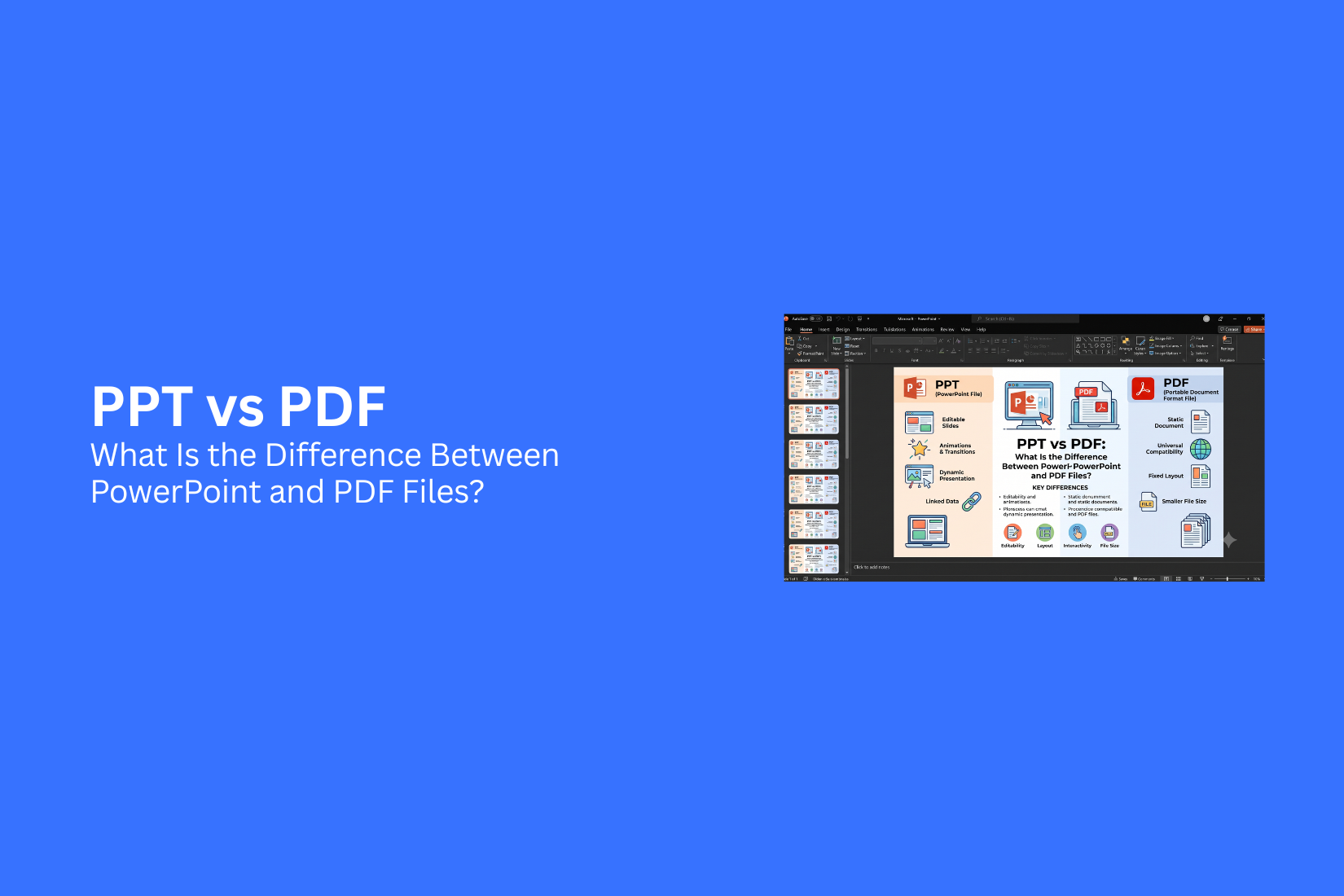
Choosing between PPT and PDF can be confusing because both file formats are commonly used for presentations, reports, documents, and other types of content. Although they may look similar, PPT and PDF files have different purposes. Picking the right format depends on how you plan to create, edit, share, or present your content.
A PPT (PowerPoint Presentation) file is made for creating editable slides with animations, videos, images, and other interactive features. A PDF (Portable Document Format) file is created for sharing finished documents while keeping the same layout and design across different devices. Each format has features that make it useful for specific tasks.
Using the wrong file format can create problems with editing, file access, formatting, and collaboration. A PPT file may not be the best choice for final document sharing, while a PDF may not work well for making major changes. Knowing the difference helps you select the format that fits your needs.
In this guide, you will learn the key differences between PPT and PDF files, including their features, advantages, disadvantages, uses, and limitations. You will also learn how to convert PPT to PDF and PDF to PPT while understanding which format works best for different situations.
What Is a PPT File?
A PPT file is a PowerPoint presentation file used to create and display slides. It is a common file format for presentations in schools, businesses, meetings, and training sessions. PPT files are created with Microsoft PowerPoint. They contain multiple slides that can include text, images, charts, tables, videos, audio, and animations. Users can edit the content, change the design, and add new elements at any time. The PPT format was introduced with older versions of Microsoft PowerPoint. It uses the .ppt file extension. Newer PowerPoint versions use the .pptx format, which offers better file storage and improved features.
A PPT file is made for editing and presenting information. Users can adjust slide layouts, update text, replace images, and add effects before sharing the final presentation. PPT files are useful for situations where changes are needed. A teacher can update lesson slides, a business team can edit a sales presentation, or a speaker can adjust slides before a meeting. The main purpose of a PPT file is to help users create flexible presentations that can be changed based on their needs.
What Is a PDF File?
A PDF file, short for Portable Document Format, is a file type used to share documents while keeping the same layout across different devices. A PDF can include text, images, charts, links, and other elements. The file looks the same on a computer, tablet, or phone. PDF files are often used for documents that need to be shared or printed. They help keep fonts, spacing, images, and page designs in place. This makes them a common choice for reports, forms, manuals, invoices, and official documents.
Unlike a PPT file, a PDF is not mainly made for editing or creating slide presentations. Most PDF files are created as a final version of a document. Users can view the content, add comments, or make limited changes with PDF tools. PDF files also work well for sharing because they usually keep the original formatting. A person opening the file does not need the same software used to create it. This makes PDFs useful for sending documents to different users without worrying about layout changes.
PPT vs PDF: Key Differences
PPT and PDF files may look similar, but they serve different needs. A PPT file is built for creating and changing presentations. A PDF file is made for sharing finished content while keeping the layout the same. The main differences appear in editing, design options, file use, storage needs, security, and sharing features. Knowing these differences helps you choose the right format for your work.
Editing Capabilities
PPT files are designed for editing. Users can change text, images, charts, colors, animations, and slide layouts. PowerPoint gives users tools to update content and adjust the presentation as needed. PDF files are not made for regular editing. They keep the document layout fixed, so changes are harder to make. Some PDF tools allow edits, but they do not offer the same level of control as a PPT file.
Design and Visual Elements
PPT files offer more design freedom. Users can add images, videos, shapes, icons, animations, and transitions. These features help create interactive slides for presentations. PDF files focus on keeping the final design unchanged. They are useful for documents where the exact layout matters. The visual elements stay in place across different devices.
File Purpose
PPT files are mainly used for presentations. They are common in meetings, classrooms, training sessions, and business reports. The format allows users to present information in a slide-based format. PDF files are mainly used for sharing and storing documents. They work well for reports, guides, forms, and documents that need a consistent appearance.
Compatibility and Accessibility
PPT files usually need presentation software like Microsoft PowerPoint or compatible apps to open and edit them. Some features may not work the same across different programs. PDF files are easier to open on most devices. Many computers, phones, and browsers support PDF files without needing special software. This makes PDFs simple to access and share.
File Size and Storage
PPT files can become large because they may contain images, videos, animations, and other media. A presentation with many visual elements may need more storage space. PDF files are often smaller, especially after optimization. Their fixed format helps reduce file size and makes them easier to store or send.
Security and Protection
PPT files include security options such as password protection and editing restrictions. However, the file can still be changed if users have the right access. PDF files offer strong protection features. Users can add passwords, limit printing, and prevent unwanted changes. This makes PDFs useful for sharing final documents.
Sharing and Collaboration
PPT files support teamwork during the creation process. Multiple users can review, edit, and update slides using collaboration tools. PDF files work better for final sharing. They help ensure that everyone sees the same layout and content. Users can share PDFs without worrying about design changes across devices.
PPT vs PDF Comparison Table
PPT and PDF files are both common formats for sharing information. They may look similar on the screen, but they serve different purposes. A PPT file is made for creating and editing presentations, while a PDF file is designed to share finished content with a fixed layout.
The table below shows the main differences between PPT and PDF files.

The right format depends on your goal. PPT works well for content that needs regular updates, visual effects, or live presentations. PDF works better for sharing a final version that should look the same for every viewer.
When Should You Use PPT Instead of PDF?
A PPT file is a better choice for projects that need changes, movement, or teamwork. PowerPoint presentations are made for editing and sharing ideas through slides. They give users more control over layouts, text, images, charts, and other elements. A PDF file keeps the content fixed. It works well for final versions, but making changes can be harder. A PPT file gives you more freedom during the creation process.
Creating Editable Presentations
PPT files are useful for presentations that need regular updates. You can change text, replace images, adjust layouts, and update data without creating a new file. This format works well for business meetings, classroom lessons, project updates, and sales presentations. Users can edit each slide and adjust the content based on their needs. For example, a teacher can update lesson slides each week. A business team can add new information before a meeting. A designer can adjust the layout before sharing the final version.
Adding Animations and Interactive Elements
PowerPoint is a better option for presentations that need animations, videos, audio, or interactive features. These elements help create a more active slide experience. Users can add slide transitions, animated text, charts, and clickable links. These features are useful for explaining ideas step by step.
PDF files usually show a fixed version of a document. They do not offer the same level of movement and interaction as PPT files.
Collaborating on Slide Designs
PPT files make it easier for teams to work on presentation designs together. Multiple users can review slides, suggest changes, and update content before the final presentation. Teams can use PowerPoint collaboration tools to edit slides and keep the design consistent. This makes PPT a practical choice for group projects, client presentations, and team meetings. A PDF file is better suited for sharing a completed presentation. A PPT file is the better choice during the planning and editing stages.
When Should You Use PDF Instead of PPT?
A PDF file works better than a PPT file in situations where the document needs to stay the same after sharing. PDF keeps the layout, fonts, images, and spacing fixed across different devices. It is a good choice for documents that are ready to view, print, or send.
Sharing Final Documents
PDF is a better option for sharing completed files. It prevents unwanted edits and keeps the content in its original form. This makes it useful for reports, resumes, brochures, invoices, and official documents. A PPT file is made for editing and presenting. A PDF file is made for viewing and sharing. If the document does not need changes, PDF helps keep the final version clear and consistent.
Maintaining Consistent Formatting
PDF helps preserve the design of a document. The text style, images, charts, and page layout stay the same on different screens and devices. PPT files may look different if they are opened on a device that does not have the same fonts or software. PDF removes this issue by keeping the original appearance of the file.
Printing and Distribution
PDF is widely used for printing because it keeps the page setup unchanged. The printed copy matches the file shown on the screen. Businesses, schools, and organizations often use PDF for handouts, guides, and printed materials. The format makes it easier to share the same document with many people without layout changes.
How to Convert PPT to PDF
Converting a PPT file to a PDF is a simple way to share a presentation while keeping its layout, fonts, images, and design the same. PDF files are easier to open on different devices because they do not need PowerPoint software. There are two common ways to convert a PPT file into a PDF. You can use Microsoft PowerPoint or choose an online conversion tool.
Convert PPT to PDF Using Microsoft PowerPoint
Microsoft PowerPoint has a built-in option to save a presentation as a PDF file. This method works well because it keeps the original slide design and settings.
Follow these steps:
- Open your PPT file in Microsoft PowerPoint.
- Click the File tab at the top.
- Select Save As or Export.
- Choose PDF as the file format.
- Select the folder where you want to save the file.
- Click Save or Publish.
Your PowerPoint presentation will now be saved as a PDF file. The slides will keep their size, images, and text placement.
Convert PPT to PDF Using Online Tools
Online tools offer another way to change a PPT file into a PDF. They can be useful for people who do not have Microsoft PowerPoint installed.
The process is usually simple:
- Open a PPT to PDF conversion website.
- Upload your PowerPoint file.
- Start the conversion process.
- Download the new PDF file.
Online tools can save time for quick conversions. Check the tool’s file limits and privacy settings before uploading any important documents. For sensitive presentations, using Microsoft PowerPoint may be a better choice.
How to Convert PDF to PPT
A PDF file is useful for sharing finished documents, but editing the content can be difficult. A PowerPoint file gives you more control over text, images, and slide layouts. Converting a PDF to PPT helps you turn a fixed document into an editable presentation. There are several ways to convert a PDF file into a PowerPoint presentation. You can use Adobe Acrobat or choose an online converter. Each method follows a few simple steps.
Convert PDF to PPT Using Adobe Acrobat
Adobe Acrobat provides a direct way to change a PDF into a PowerPoint file. This method keeps the original layout, text, and images as close to the PDF version as possible.
Follow these steps:
- Open the PDF file in Adobe Acrobat.
- Select the “Export PDF” option.
- Choose “Microsoft PowerPoint” as the export format.
- Click the Convert button.
- Save the new PPT file to your device.
After the conversion, open the PowerPoint file and check the slides. Some elements may need small edits, especially complex designs, charts, or special fonts.
Convert PDF to PPT Using Online Converters
Online converters offer a quick way to change PDF files into PPT presentations. They work through a web browser, so you do not need to install extra software.
The basic process usually includes these steps:
- Upload your PDF file to the converter website.
- Select PPT as the output format.
- Start the conversion process.
- Download the converted PowerPoint file.
Online tools are helpful for simple PDFs with text and images. Large files or documents with detailed layouts may need extra adjustments after conversion. Before sharing the final presentation, review each slide carefully. Check the text placement, image quality, and overall layout to make sure everything looks correct.
Advantages and Disadvantages of PPT
A PPT file is a common choice for creating presentations. It gives users tools to design slides, add media, and make changes before sharing the final version. However, PPT files also have some limits that may affect how they are used.
Advantages of PPT Files
PPT files are useful for creating editable presentations. Users can change text, images, layouts, colors, and other slide elements at any time. This makes PPT a good option for projects that need regular updates. PPT files also support visual features like animations, videos, charts, and audio. These elements help create more engaging presentations and make information easier to present. Another benefit is the wide range of design options. Users can adjust slide layouts, add graphics, and create custom designs to match their needs. PPT files also support teamwork, allowing multiple people to review and edit a presentation. PPT files work well for meetings, lessons, training sessions, and business presentations where changes and interaction are needed.
Disadvantages of PPT Files
PPT files can face compatibility issues. A presentation may look different if it is opened on another device or with a different version of PowerPoint. Fonts, images, or animations may not always appear as expected. PPT files can also become large, especially with many images, videos, or audio files. Large file sizes can make sharing and uploading more difficult. Another drawback is that PPT files are easier to edit. This can be a problem after a presentation is finalized because others may change the content by mistake. PPT files also need presentation software to open and edit properly. Users without the right tools may have trouble viewing the file.
Advantages and Disadvantages of PDF
PDF files are used for many types of documents, from reports and forms to presentations and guides. They help keep the same layout across different devices. Like any file format, PDF has both benefits and limits.
Advantages of PDF Files
Keeps the Original Format: A PDF keeps the same design, fonts, images, and spacing after saving. The document looks the same on different devices and operating systems.
Easy to Share: PDF files are simple to send through email, websites, or messaging apps. Most devices can open them without needing special software.
Works Across Different Platforms: PDF files can be opened on Windows, Mac, smartphones, and tablets. Users do not need the same program that was used to create the file.
Provides Better File Protection: PDF files can include password protection and permission settings. These features help control who can view, edit, or print the document.
Smaller File Size: Many PDF files have a smaller size compared to the original document. This makes them easier to store and share.
Disadvantages of PDF Files
Limited Editing Options: Editing a PDF is not as simple as editing a PPT file. Users often need special tools to change text, images, or layouts.
Not Ideal for Interactive Content: PDF files support basic elements, but they do not work well for animations, slide effects, or interactive presentations.
Formatting Changes Can Be Difficult: Making major changes to a PDF layout can take extra time. The original design may need to be recreated in another program before editing.
Less Flexible for Presentations: PDF files are better for viewing and sharing finished documents. They do not offer the same presentation features as PowerPoint files.
Collaboration Can Be Limited: Working with others on a PDF file may require extra tools. Real-time editing is usually easier with editable formats like PPT.
PPT vs PDF: Which Format Should You Choose?
Choosing between PPT and PDF depends on what you need to do with the file. Both formats are useful, but they serve different purposes. A PPT file works best for creating and editing presentations. It gives you control over slide layouts, animations, images, videos, and other visual elements. It is a good choice for meetings, lessons, workshops, and presentations that need changes before sharing. A PDF file is better for sharing finished content. It keeps the same layout across devices, so the document looks the same for everyone. PDFs work well for reports, guides, forms, and final presentation copies. PPT is the better option for active editing and presenting. It lets you update text, move objects, add effects, and adjust slide designs. It also supports features that help make presentations more interactive. PDF is the better option for safe sharing and easy access. The file keeps its original format and reduces the chance of unwanted changes. Many devices can open PDF files without special software. The right choice depends on your goal. Use PPT for creating and improving a presentation. Use PDF for sending a final version that is ready to view or print. Both formats can work together. Many people create slides in PowerPoint, then save the final version as a PDF for sharing. This helps keep the design consistent while making the file easier to access.
Final Notes
PPT and PDF files are both useful, but they are made for different purposes. PPT is a better choice for creating, editing, and presenting slides. It gives users more control over designs, animations, videos, and other presentation elements. PDF is a better option for sharing completed files. It keeps the same layout, fonts, and design across different devices. This makes it useful for reports, forms, guides, and final documents.
The best format depends on your goal. Use PPT during the creation and editing process. Use PDF after the content is ready to share or print. Many users create presentations in PowerPoint and save them as PDF files for easier sharing. Understanding the differences between PPT and PDF helps you choose the right file format for each task. The right choice saves time, keeps your content organized, and helps your files work as expected.
FAQs
What is the main difference between PPT and PDF files?
PPT files are made for creating and editing presentations. PDF files are made for sharing finished documents while keeping the same layout and design. PPT gives more control over changes, while PDF keeps content fixed.
Which is better for presentations, PPT or PDF?
PPT is usually better for presentations because it supports editing, animations, videos, and slide effects. PDF works better for sharing a final version of a presentation that does not need changes.
Can a PDF file be converted into a PPT file?
Yes, a PDF file can be converted into a PPT file using tools like Adobe Acrobat or online converters. After conversion, some text, images, or layouts may need adjustments.
Can a PPT file be saved as a PDF?
Yes, PowerPoint allows users to save presentations as PDF files. This helps keep the slide design, text, and images the same when sharing the file.
Is PPT easier to edit than PDF?
Yes, PPT files are easier to edit. Users can quickly change text, images, layouts, and other slide elements. PDF files have more limited editing options.
Why should I use a PDF file instead of a PPT file?
PDF is a good choice for sharing final documents because it keeps the same format across devices. It also works well for printing, reports, forms, and official documents.
Do PPT files support animations and videos?
Yes, PPT files support animations, videos, audio, transitions, and other interactive features. These options help create more dynamic presentations.
Do PDF files work on all devices?
Most devices can open PDF files, including computers, tablets, and smartphones. Many browsers and apps support PDF viewing without extra software.
Which file format is smaller, PPT or PDF?
The file size depends on the content inside the file. PPT files can become larger because they may include videos, audio, and animations. PDF files are often smaller after optimization.
Can I edit a PDF file like a PPT file?
No, PDF files are not designed for the same level of editing as PPT files. Some tools allow PDF edits, but PPT provides more flexibility for making changes.



You may also be interested in ...

How To Create An Eye-Catching Portfolio
If you’re looking to create an eye-catching portfolio, this post will come in handy. In this article, you can find the easies...
23 Jun, 2024

How To Easily Create An Infographic
Infographics are the perfect way to make a presentation that will impact an audience, but their design and composition might...
08 Jun, 2024

PowerPoint Template Tips & Tricks You Ne...
PowerPoint seems to be an unknown world for many people, especially those who have been assigned to create a presentation out...
08 Jun, 2024