How to Build Board Deck Presentations That Drive Better Decisions
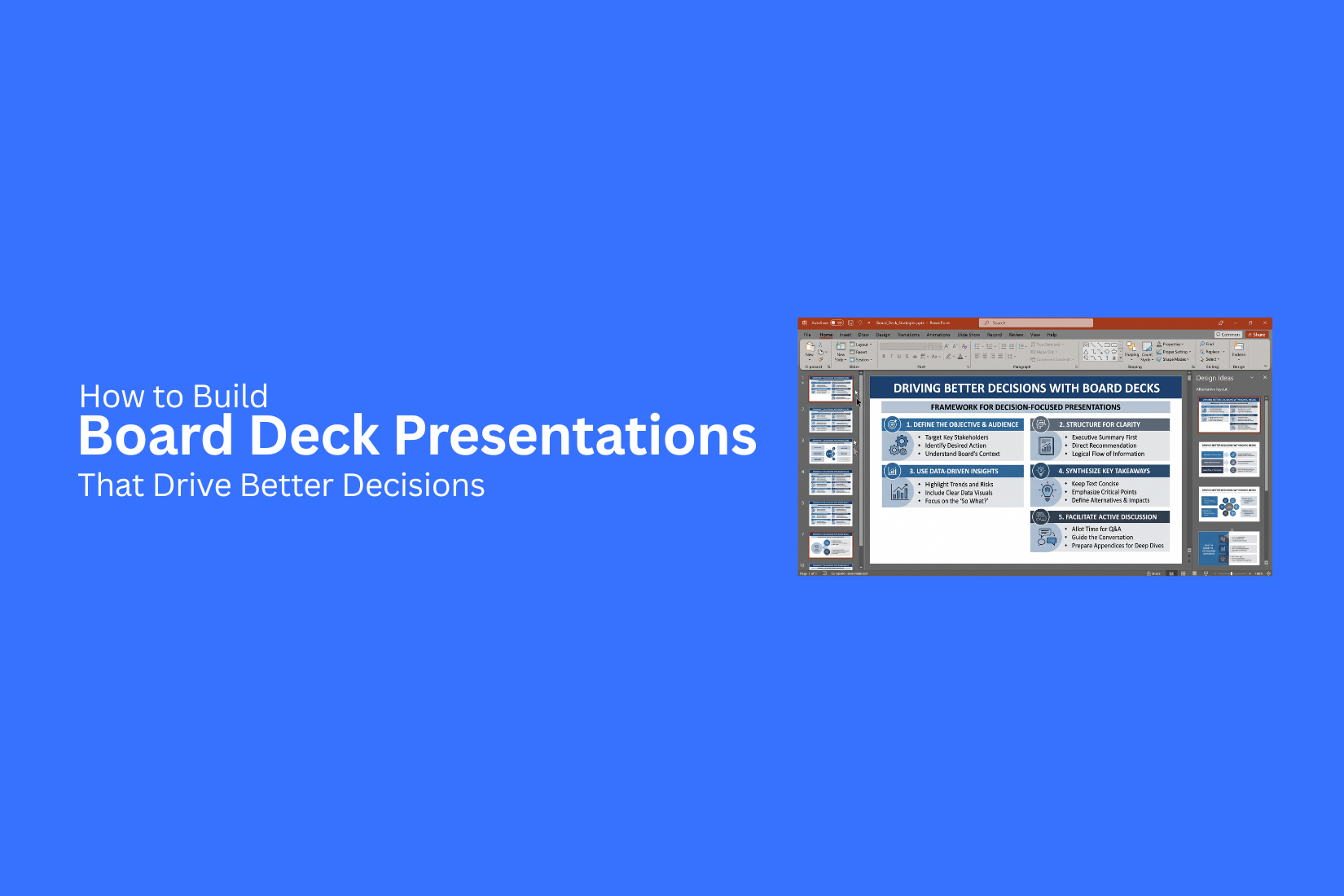
Board deck presentations often fail to help leaders make clear choices. Many slides contain too much data, unclear messages, or details that do not support the main goal of the meeting. A weak board deck can slow discussions and make it harder for leaders to understand key updates, risks, and actions. Time is spent reviewing information instead of focusing on important decisions.
A strong board deck follows a clear structure, highlights useful insights, and guides the conversation toward action. This guide explains how to build board deck presentations that support better decisions. You will learn how to plan each section, present key information clearly, and create slides that help board members reach informed decisions.
What Is a Board Deck Presentation?
A board deck presentation is a set of slides created for a company’s board of directors. It shares updates, business results, goals, challenges, and plans in a clear format. The main purpose of a board deck is to help board members understand the current state of the business. It gives them the information needed to review progress, ask questions, and make informed choices. A strong board deck does more than show numbers. It explains what the data means and why certain actions are needed. Each slide should focus on one clear message. This helps the audience follow the discussion and focus on the areas that need attention.
Most board decks include sections such as:
• Business performance updates
• Financial results
• Market or customer insights
• Major challenges
• Future goals and plans
• Requests for board support
A board deck is different from a regular presentation. It is built for a high-level audience that needs clear facts and useful insights. The goal is to support better discussions and help leaders make better decisions.
Why a Well-Structured Board Deck Leads to Better Decisions
A board deck helps leaders understand key updates, review progress, and make important choices. A clear structure makes it easier for board members to find the right information and focus on the topics that need attention. A strong board deck follows a logical order. It starts with the main points and supports them with useful data. This helps reduce confusion and keeps discussions focused. Board members often review many topics in a limited time. A well-organized presentation helps them quickly understand business performance, risks, goals, and next steps. Each slide should answer a clear question or share a key message.
A good structure also helps teams prepare better. It encourages them to collect the right data, explain challenges, and present possible solutions. This creates more useful conversations during board meetings. A board deck is not just a report of past events. It is a tool that helps leaders review situations and decide what actions to take. Clear slides, simple visuals, and focused messages help everyone stay aligned.
What to Include in a Board Deck Presentation
A board deck presentation should help leaders understand the current state of the business and make clear decisions. Each slide needs a clear purpose. The content should focus on key updates, data, challenges, and actions that need attention.
Executive Summary
The executive summary gives a short view of the main points in the presentation. It should highlight business results, major updates, current issues, and the actions that need review. This section helps board members understand the main message before viewing the full deck.
Meeting Objectives
Start the deck with the goals of the meeting. Explain what topics need discussion and what outcomes the team wants to reach. Clear objectives help keep the conversation focused and organized.
Business Performance Overview
This section shows how the business is performing. Add key metrics, growth updates, customer insights, and other performance details. Use simple charts or visuals to make the data easier to understand.
Financial Highlights
Financial details help the board review the company’s current position. Include revenue, expenses, profit results, budget updates, and financial goals. Keep the information clear so members can quickly review the numbers.
Key Risks and Challenges
Every business faces risks and problems that need attention. This section should explain current challenges, possible impacts, and steps being taken to handle them. Honest updates help the board provide better guidance.
Strategic Initiatives and Progress
Share the main projects and plans that support business goals. Explain the purpose of each initiative, the progress made, and the next steps. This gives the board a clear view of ongoing work.
Recommendations and Decision Requests
Use this section to explain the decisions the board needs to make. Present each request with clear details, reasons, and expected results. A focused request helps the discussion move forward.
Supporting Data and Appendix
The appendix contains extra details that support the main presentation. Add research, charts, reports, or additional figures here. This keeps the main slides clean while giving board members access to more information if needed.
How to Build Board Deck Presentations Step by Step
A board deck needs a clear structure. Each slide should help board members understand the current situation, review key updates, and make better choices. A strong process helps you create a presentation that is easy to follow and focused on the main goals. Building a board deck starts with planning. Each step helps shape the story, organize the data, and prepare the final slides.
Step 1: Define the Purpose of the Meeting
Start by knowing why the meeting is happening. A board deck should have a clear goal. The purpose may be to review business results, discuss growth plans, solve problems, or ask for approval.
A clear goal helps you choose the right information for the presentation. It also keeps extra details away from the main message.
Ask these questions before creating slides:
• What does the board need to know?
• What topics need discussion?
• What outcome should come from the meeting?
A focused purpose creates a strong base for the entire board deck.
Step 2: Identify the Decisions That Need Approval
Board meetings often focus on important decisions. Your presentation should show what actions need approval or feedback. List the decisions before creating slides. This helps you arrange the content around the most important points.
For each decision, include:
• The issue or opportunity
• Key facts that support the topic
• Possible options
• The recommended action
This approach helps board members understand what needs their attention.
Step 3: Collect Relevant Data and Insights
A board deck needs accurate information. Gather the data that supports your main points. Avoid adding numbers that do not help explain the topic.
Useful data may include:
• Revenue updates
• Customer results
• Market changes
• Project progress
• Financial reports
• Team performance
Review the data and select the details that support your message. Clear insights help the board see the bigger picture.
Step 4: Organize Content Into a Logical Flow
A good board deck follows a simple order. The slides should guide the audience from the current situation to the actions needed.
A common structure includes:
- Meeting goals
- Key updates
- Performance results
- Challenges and risks
- Future plans
- Decisions needed
Each section should connect with the next one. A clear flow makes the presentation easier to understand.
Step 5: Design Clean and Readable Slides
Board members need to review information quickly. Clean slide design helps them find key points without effort.
Follow these design practices:
• Use simple layouts
• Keep text short
• Use clear headings
• Add enough space between elements
• Use consistent fonts and styles
Avoid filling slides with too much information. A simple design keeps the focus on the message.
Step 6: Use Charts to Explain Performance
Charts help turn complex numbers into clear visuals. They allow board members to compare results and spot changes.
Choose charts based on the information you want to show:
• Line charts for trends over time
• Bar charts for comparisons
• Pie charts for simple category breakdowns
• Tables for detailed numbers
Add labels and short explanations so the audience understands the data quickly.
Step 7: Keep Every Slide Focused on One Message
Each slide should share one main idea. Too many messages on one slide can make the information harder to follow.
Before adding a slide, ask:
• What is the main point?
• Does this slide support a decision?
• Can the message be understood quickly?
A focused slide helps the board remember the most useful information.
Step 8: Review, Edit, and Test the Presentation
The final review helps remove mistakes and improve clarity. Read through every slide before the meeting.
Check:
• Data accuracy
• Spelling and grammar
• Slide order
• Chart labels
• Text size
• Visual consistency
Practice presenting the deck to check timing and flow. A well-reviewed board presentation helps create a smoother meeting experience.
Best Practices for Creating Effective Board Deck Presentations
A strong board deck helps leaders understand key issues and make better choices. Each slide should have a clear purpose. The goal is not to show every piece of data. It is to share the information that helps the board take action. These practices can help create a board deck that is clear, focused, and useful.
Focus on Insights Instead of Raw Data
Board members do not need to see every number from a report. They need to know what the data means and why it matters. A good board deck turns data into clear insights. Start each slide with the main message. Use charts, graphs, and short notes to explain the key points. Show trends, changes, risks, or opportunities that need attention. For example, instead of showing a long sales report, highlight the main growth areas, challenges, and reasons behind the results. This helps the board understand the situation without spending time sorting through extra details.
Use Consistent Branding and Formatting
A consistent design makes the board deck easier to follow. Use the same fonts, colors, layouts, and slide styles across the presentation. A clean format helps the board focus on the message instead of the design. Keep titles, charts, and text areas in the same place on each slide. Use your company’s branding to create a professional look. Small design details also matter. Check spacing, alignment, and image quality before sharing the final deck. A well-organized presentation shows care and attention.
Limit Text and Highlight Key Takeaways
Too much text can make slides difficult to read. Board members should understand the main point quickly. Use short statements instead of large paragraphs. Highlight the most important numbers, decisions, and actions. Each slide should answer a simple question: “What should the board know from this?” A good approach is to place the key takeaway near the top of the slide. Support it with a chart, visual, or short explanation. This keeps the focus on the message.
Support Every Recommendation With Evidence
Every recommendation needs a clear reason behind it. Board members need proof before making major decisions. Use data, customer feedback, market results, financial reports, or past performance to support your ideas. Explain how the evidence connects to the recommendation. Avoid making claims without support. A recommendation backed by strong information builds trust and helps the board make informed choices.
End With Clear Next Steps
A board deck should make it clear what happens after the meeting. The final slides should outline the actions, owners, and timelines. List the decisions that need approval. Mention the teams responsible for each task. Add deadlines or milestones to create a clear path forward. A strong ending turns discussion into action. It helps everyone leave the meeting with the same understanding of what comes next.
Common Board Deck Presentation Mistakes to Avoid
A board deck should help leaders understand key points and make better choices. A weak deck can create confusion, slow down discussions, or hide the message behind too many details. Avoiding common mistakes helps create a presentation that is clear, focused, and useful for decision-making.
Including Too Much Information
A board deck is not a place to add every detail about a project or business update. Too much information can make it hard for board members to find the main points. Focus on the facts that support your message. Use clear sections to show the current situation, key results, challenges, and next steps. Extra details can go into an appendix for anyone who wants to review more information. A simple question can help guide your choices: “Does this slide help the board make a decision?” Remove content that does not support that goal.
Using Complicated Charts
Charts can make data easier to understand, but complex visuals can create the opposite effect. Too many numbers, colors, or data points can distract from the main message. Choose charts that show one clear idea. Use simple labels and highlight the numbers that matter most. A board member should understand the key point without spending too much time reading the chart. The best chart is not the one with the most data. It is the one that makes the message clear.
Hiding Important Risks
Board members need a clear view of both progress and problems. Hiding risks can reduce trust and make future decisions harder. Share major risks with enough context. Explain what the risk means, how it may affect goals, and what actions are being taken. A clear risk section helps the board prepare and provide useful guidance. Showing challenges does not weaken a presentation. It shows that the team understands the situation and has a plan.
Having No Clear Decision Request
Many board decks share updates but fail to explain what decision is needed. This can leave the discussion without a clear direction. Each board meeting should have a clear purpose. State the decision, approval, or support you need from the board. Make the request easy to find and explain why it matters. A strong decision request helps the meeting stay focused and leads to better outcomes.
Ignoring the Audience's Priorities
A board deck should match what board members care about most. A presentation that only focuses on team activities or internal details may miss the points that matter to leadership. Focus on areas such as business goals, financial results, risks, growth plans, and major decisions. Connect each slide to the concerns and questions the board is likely to have. A useful board deck speaks to the audience’s needs, not just the presenter’s work.
Board Deck Presentation Design Tips
A strong board deck needs clear design choices. Board members review many details in a short time. A clean layout helps them find key points and understand the message.
Choose Easy-to-Read Fonts
Fonts affect how people read your slides. Use simple fonts with clear letters. Avoid decorative styles that make text harder to follow. Keep font sizes large enough for everyone to read. Use different sizes for titles, headings, and body text. This creates a clear order on each slide. Limit the number of fonts in your deck. Using one or two font styles keeps the presentation neat and professional.
Use Color to Emphasize Important Data
Colors help guide attention. Use them to highlight key numbers, trends, or areas that need discussion.
Avoid using too many colors on one slide. A simple color palette keeps the design clean. Use the same colors for similar data across the presentation. Make sure text and background colors have enough contrast. This helps everyone read the information without effort.
Maintain Visual Consistency
A consistent design makes your board deck easier to follow. Use the same layout, spacing, and style across all slides. Keep titles in the same position. Use matching chart styles and similar image sizes throughout the deck. Small design details build a better viewing experience. A consistent format helps board members focus on the content instead of slide changes.
Keep Charts and Tables Simple
Charts and tables should make data easier to understand. Remove extra details that do not support the main message. Use clear labels and highlight the numbers that matter most. Avoid filling slides with too much data at once. A simple chart often works better than a crowded table. Choose the format that helps the audience understand the point quickly.
Board Deck Presentation Example Structure
A board deck needs a clear flow. Each slide should help board members understand the company’s current position, key updates, and areas that need attention. A well-planned structure keeps the discussion focused and helps leaders make better choices. A typical board deck follows a simple format. It starts with key information and moves into deeper details. Each section has a specific purpose.
Cover Slide
The cover slide sets the tone for the board meeting. It should include the company name, presentation title, meeting date, and presenter details. Keep this slide clean and professional. Avoid adding too much text or extra visuals. The goal is to help board members know what the meeting covers from the start.
Agenda
The agenda gives board members a quick view of the topics in the presentation. It helps everyone follow the discussion and know what areas will be covered. List the main sections of the deck in a clear order. Include major topics such as financial updates, business performance, strategy, risks, and decisions needed from the board.
Executive Summary
The executive summary highlights the most important points from the entire presentation. Many board members use this section to understand the main updates before reviewing the details. Include key achievements, challenges, major changes, and important decisions. Keep the information brief. Focus on points that need attention or discussion.
Financial Performance
This section shows the company’s financial health. Use charts and simple visuals to explain revenue, expenses, profits, growth, and other key numbers. Compare current results with past goals or previous periods. Highlight major changes and explain the reasons behind them. Clear financial data helps the board understand business progress.
Operational Updates
Operational updates show how the company is performing across daily activities. This section can include updates on customers, products, teams, processes, or major projects.
Share important progress and areas that need improvement. Use specific data to support your points. Avoid adding details that do not affect business decisions.
Strategic Priorities
This section explains the company’s main goals and future plans. Show the priorities that need focus and how they support long-term growth. Explain the actions planned for each priority. Include timelines, expected results, and key resources needed. This helps board members see the direction of the company.
Risks and Opportunities
Every business faces risks and new opportunities. This section helps the board understand possible challenges and areas for growth. Explain the main risks, their possible impact, and the steps being taken to manage them. Also include opportunities that may create value for the company.
Decision Requests
The decision request section clearly shows what support or approval is needed from the board. State each request in a direct way. Explain why the decision matters, what action is needed, and the expected outcome. A clear request helps the meeting move toward action.
Appendix
The appendix contains extra information that supports the main presentation. It may include detailed reports, additional charts, research, or supporting data. Keep these slides separate from the main discussion. They should provide more details for board members who want deeper information without making the main deck too long.
Final Notes
A board deck presentation should help leaders understand key updates and make better decisions. A clear structure, focused message, and simple design make each slide more useful. Start with the purpose of the meeting. Choose data that supports the main goals. Organize the content in a way that helps board members follow the discussion.
Avoid adding extra details that do not help with decisions. Use charts, visuals, and short explanations to make information easier to review. Each slide should share one main idea. A strong board deck is more than a collection of reports. It helps teams explain progress, discuss challenges, and show the actions needed next. With the right structure and planning, your presentation can create better conversations and help leaders make informed choices.
FAQs
What is a board deck presentation?
A board deck presentation is a slide deck created for a company’s board of directors. It shares important updates about business performance, financial results, challenges, goals, and plans. The purpose is to help board members review information and make decisions.
What should be included in a board deck presentation?
A board deck usually includes an executive summary, meeting objectives, business performance updates, financial highlights, risks, strategic plans, decision requests, and supporting data. Each section should focus on information that helps the board understand the current situation.
How many slides should a board deck have?
The number of slides depends on the meeting goals and the amount of information needed. A board deck should include enough details to support discussion without adding unnecessary content. The focus should stay on clear messages and key decisions.
How can I make a board deck more effective?
Create a clear structure, use simple visuals, and focus on insights instead of raw data. Each slide should have one main message. Use charts and short explanations to help board members understand key points quickly.
What is the difference between a board deck and a regular presentation?
A board deck is designed for senior leaders who need business updates and decision support. A regular presentation may focus on sharing information, while a board deck focuses on performance, risks, plans, and actions that need review.
What mistakes should be avoided in a board deck?
Common mistakes include adding too much information, using complex charts, hiding risks, missing clear decision requests, and focusing on details that do not match the board’s priorities. A focused presentation helps keep discussions useful.
How do you structure a board deck presentation?
A typical board deck starts with a cover slide and agenda. It then moves through the executive summary, financial performance, operational updates, strategic priorities, risks, decision requests, and appendix. This order helps create a clear flow.
Why are charts useful in board presentations?
Charts help explain data in a simple visual format. They make it easier to compare results, track changes, and understand trends. The best charts focus on one clear message instead of showing too much information.
How often should a board deck be updated?
A board deck should be updated before each board meeting with the latest business results, challenges, goals, and decisions needed. Regular updates help board members review accurate information and provide useful guidance.
What makes a good board deck design?
A good board deck uses readable fonts, consistent layouts, simple charts, and clear visuals. The design should support the message and make important information easy to find.


You may also be interested in ...

Tips To Create A Great Infographic
Infographics Have been around for a while, but not many people know about them or are their preferred presentation choice. If...
08 Jun, 2024

3 Steps To Create The Best Presentation...
Presentations are something wonderful when well done, you can captivate an audience or be super interested in what another pe...
23 Jun, 2024

3 Tips For Your Next Presentation You MU...
PowerPoint presentations are perfect for explaining a topic and communicating your ideas with a visual aid. But most people s...
08 Jun, 2024