How to Create a Crisis Communication Presentation
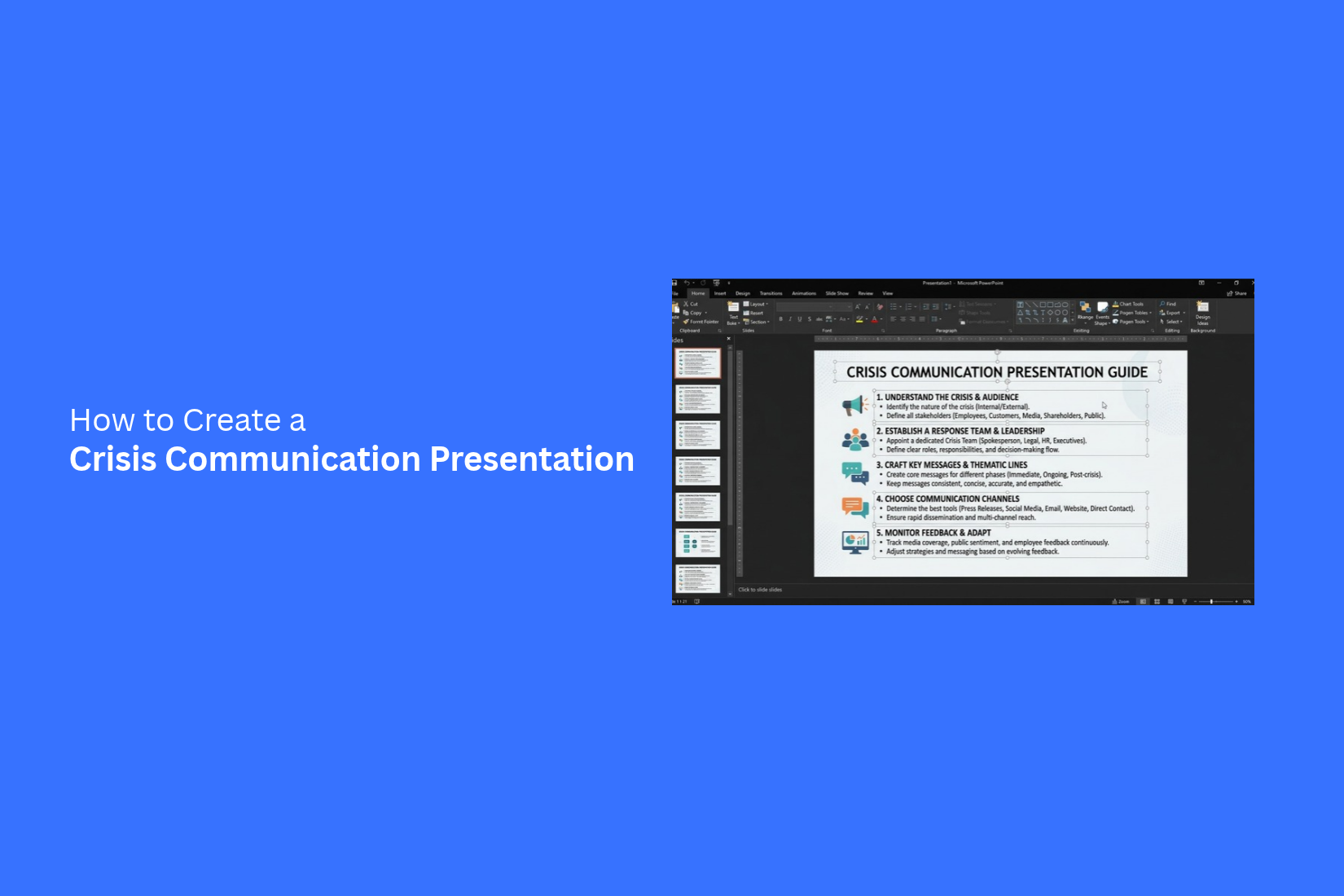
A crisis can leave a team with little time to share clear information. Poor communication may cause confusion, spread false claims, and delay important decisions. A clear presentation helps everyone understand the situation and know what to do next.
Missing facts, mixed messages, and unclear roles can make a crisis harder to manage. People need honest updates and clear steps. Without a plan, even a small gap in communication can affect trust and teamwork.
A well-planned crisis communication presentation helps you share verified facts, address concerns, and explain the next steps. This guide covers how to build your presentation, choose key slides, design clear visuals, and deliver your message with care.
What Is a Crisis Communication Presentation?
A crisis communication presentation is a set of slides used to share important information during a crisis. It helps a team explain what happened, what actions are being taken, and what people need to know. The goal is to keep the message clear and consistent.
A crisis can involve a product issue, a data breach, a public complaint, or an unexpected event. Each situation needs a clear plan for sharing updates. A presentation helps teams organize key facts and prepare answers to common questions.
It can also define who will speak, which channels will carry updates, and how the team will respond to public concerns. This gives everyone a shared message to follow. It also helps reduce mixed messages during a difficult time.
Why a Crisis Communication Presentation Matters
A crisis can affect a company’s staff, customers, and public image. Clear communication helps people understand what happened and what steps the company is taking. A crisis communication presentation puts key facts, actions, and updates in one place. It also helps teams share the same message with the right people.
A clear presentation helps a team:
- Share clear information: Explain what happened, who is affected, and what the company knows so far.
- Keep messages consistent: Help team members share the same facts across meetings, emails, and public updates.
- Set clear roles: Show who handles each task, who approves messages, and who speaks for the company.
- Plan the next steps: List the actions the team needs to take and the people responsible for them.
- Build trust: Give staff, customers, and other groups honest updates about the situation.
A crisis communication presentation also gives leaders a clear plan to follow. They can review the facts, assign tasks, and track updates as the situation changes. This helps the team respond with care and avoid sharing unclear or conflicting messages.
How to Create a Crisis Communication Presentation
A crisis communication presentation needs clear facts, direct messages, and a well-planned structure. Each slide should help the audience understand the situation and know what to do next. Follow these steps to prepare a presentation that keeps everyone informed and focused.
Define the Purpose and Audience
Start by setting a clear goal for your presentation. Decide what the audience needs to know and what action they should take after the meeting. The audience also shapes your message. Company leaders may need details about risks and business impact. Employees may need safety steps and updates about their work. Customers may want to know how the crisis affects them and what your company plans to do. Keep the main goal in mind throughout the presentation. Each slide should support that goal.
Identify the Key Crisis Information
Gather the main facts about the crisis before building your slides. Focus on details that help the audience understand what happened and what the team knows so far.
Your presentation may cover these points:
- What happened and when it started.
- Who or what has been affected.
- What caused the crisis, based on confirmed facts.
- What actions have already been taken.
- What risks remain.
- What steps the team plans to take next.
Separate confirmed facts from details that are still under review. This helps prevent false claims and keeps the audience informed. Avoid adding details that do not support the main message.
Write Clear and Consistent Messages
Use simple language to explain the crisis. Keep each message short and direct. Avoid technical terms that the audience may not know. Make sure the same facts appear across all slides and communication materials. Different teams should share the same core message. This reduces the risk of mixed signals.
For example, a company facing a service outage can state what is affected, what the team is doing, and where people can get updates. The message should stay consistent as new facts become available. Use a calm and honest tone. Do not make promises that the team cannot keep. Clear statements help build trust during a difficult situation.
Organize the Presentation Structure
Arrange the slides in an order that makes the situation easy to follow. Start with the main issue, explain its impact, and then present the response plan.
A crisis communication presentation may follow this structure:
- Title slide: Name the crisis and state the date of the update.
- Situation overview: Explain what happened and share the confirmed facts.
- Impact assessment: Show who or what has been affected.
- Current response: Explain the actions already taken.
- Response plan: List the next steps, owners, and target dates.
- Communication plan: State who will receive updates and how they will get them.
- Questions and answers: Address key concerns and open questions.
Keep each slide focused on one main point. Use clear headings to help the audience follow the story. Place urgent information near the start so people can find it quickly.
Add Supporting Data and Evidence
Facts and data help explain the scale of a crisis. Use charts, timelines, tables, or simple diagrams to show details that are hard to explain with text alone. For example, a timeline can show how events unfolded. A bar chart can compare the number of affected customers across different periods. A table can list response tasks, assigned teams, and deadlines.
Check every number, date, and claim before adding it to a slide. Include the source of key data when needed. Label charts clearly and remove details that do not help explain the situation. Avoid filling slides with too much data. The audience should be able to understand the main point at a glance.
Prepare Responses to Tough Questions
A crisis often raises questions about responsibility, safety, costs, delays, and future risks. Prepare answers to likely questions before presenting the update. Create a list of concerns the audience may raise. Write short answers based on verified facts. Assign a person to handle each topic during the meeting.
Some questions may not have clear answers yet. State what the team knows, explain what remains under review, and share when the next update is expected. Do not guess or make claims without evidence. A question-and-answer slide can cover common concerns. Keep extra details in backup slides for questions that need more explanation.
Review and Verify the Information
Review the full presentation before sharing it. Check that the facts, dates, figures, names, and action items are correct. Ask the relevant teams to confirm details that fall under their responsibility.
Use this final review checklist:
- Are all key facts confirmed?
- Do the slides use consistent messages?
- Are the next steps clear?
- Does each action have an owner and a deadline?
- Are charts and figures labeled correctly?
- Are unconfirmed details marked clearly?
- Does the presentation protect private or sensitive information?
- Is the contact information for future updates correct?
Read the slides from the audience's point of view. Remove repeated details and unclear statements. Make sure the presentation gives people the information they need to respond. A final review helps reduce errors and keeps the message clear during a crisis.
Key Slides to Include in a Crisis Communication Presentation
A crisis communication presentation should give people clear facts and a plan of action. Each slide should answer a specific question. What happened? Who is affected? What should the team do next? The right slides help leaders share updates, assign tasks, and keep everyone informed.
Crisis Overview
Start with a brief overview of the crisis. State what happened, when it started, and where it took place. Keep the details clear and factual. Avoid guesses or unconfirmed claims. Include the main reason for the presentation. Explain what the team needs to address and what the audience should understand. This gives everyone a shared starting point.
Current Situation and Impact
Explain the current status of the crisis. Share the facts that are known at the time of the presentation. Add new details as they become available. Describe how the crisis affects the business, employees, customers, or other groups. Use simple charts or short lists to show the main effects. Keep the focus on facts that help people understand the situation.
Key Messages and Official Statements
Prepare the main messages that everyone should share. These messages must be clear, accurate, and consistent. Use simple language that people can understand and repeat. Include approved statements for employees, customers, media teams, or other groups. Add any key facts that support these messages. Mark statements that still need approval. This helps prevent mixed messages across different channels.
Response Actions and Responsibilities
List the actions needed to manage the crisis. Give each task a clear owner and deadline. This makes it easier for the team to track progress and take action. A table can help organize this information. Include the task, the person responsible, the current status, and the due date. Add urgent tasks near the top so the team can focus on the most pressing needs.
Communication Channels and Audience Updates
Explain how the team will share information with each audience. Employees may need internal updates, while customers may need service notices or direct messages. Media teams may need approved statements. List the channels the team will use, such as email, company websites, social media, or press releases. State who will send each update and how often new information will be shared. This helps people know where to find accurate updates.
Next Steps and Recovery Plan
End with a clear plan for the next stage. List the actions that remain, the people responsible, and the target dates. Include plans for keeping people informed as the situation changes. The recovery plan should also cover how the team will review the response and address any lasting effects. Set clear goals to track progress. Close the presentation with the next review date and the person who will lead the follow-up. This gives the team a clear path forward.
How to Design Clear Crisis Communication Slides
Crisis communication slides must share key facts in a clear and direct way. People need to understand the message without reading long blocks of text. Each slide should focus on one main point. Use simple words, clear headings, and a layout that guides the reader through the information.
Use Simple and Direct Language
Use short sentences to explain what happened, what it means, and what people need to know. Avoid technical terms or vague statements. Clear language helps people understand the message and reduces the risk of confusion.
Give each slide a clear title. Use short bullet points to share facts, actions, or updates. Keep extra details out of the main message. Place them on a separate slide if they need more space.
Highlight the Most Important Information
Put the most important facts near the top of each slide. Readers should be able to find key updates without searching through several lines of text.
Use bold text to mark key dates, actions, names, or figures. You can also use a different color to draw attention to urgent updates. Keep these choices consistent across the presentation. Avoid highlighting too many items on one slide. This makes it harder to see which details matter most.
Choose Readable Fonts and Colors
Choose fonts that are easy to read on a screen. Use a clear font style and a large enough size for both headings and body text. Keep the same font styles across the deck to give each slide a consistent look.
Color choices also affect how people read your slides. Use dark text on a light background or light text on a dark background. Make sure the text stands out from the background. Avoid using too many colors. Pick a small set of colors and use them for headings, key facts, and status updates.
Use Charts and Visuals Where Needed
Charts and visuals can help explain facts that are hard to understand through text alone. A simple bar chart can show changes in reported cases, service delays, or other key figures. A timeline can show how events unfolded. A process diagram can explain the steps people need to follow.
Choose visuals that support the message on each slide. Add clear labels and short titles so readers can understand the data. Avoid decorative images that do not add useful information. Keep charts simple, and show only the details needed to explain the current situation.
Keep Messages Consistent Across Slides
A crisis communication presentation should present the same facts and instructions across all slides. Use the same terms for key events, teams, actions, and dates. This helps readers follow the message without having to work out whether two different phrases refer to the same thing.
Keep heading styles, colors, layouts, and status labels consistent. Check all slides for conflicting dates, figures, or instructions before sharing the presentation. If new facts change an earlier update, revise the related slides so the entire deck reflects the latest information.
How to Present During a Crisis
A crisis presentation must give people clear facts and a sense of direction. Your audience needs to know what happened, how it affects them, and what your team plans to do next. Keep your message simple and focused. Share updates in a clear order so people can follow the situation.
Lead With Verified Information
Start with facts your team has confirmed. Explain what happened, what is affected, and what your team knows so far. Avoid rumors, guesses, or claims that lack proof.
Use a simple slide to show the main facts. Add dates, times, or figures to help your audience understand the situation. Keep each point short. Clear facts help people understand the issue without adding to their concerns.
Acknowledge Concerns and Questions
People may feel worried or need answers during a crisis. Address their main concerns early in the presentation. Show that your team understands how the situation affects staff, customers, partners, or other groups.
Add a slide with common questions and clear answers. Focus on the issues that matter most to your audience. Give honest answers, even if some details are still missing. This helps build trust and keeps people informed.
Communicate What Is Known and Unknown
Not every detail will be clear at the start of a crisis. Separate confirmed facts from information that your team still needs to check. This helps prevent false claims and sets clear expectations.
You can use two sections on one slide: "What We Know" and "What We Are Still Checking." Add brief points under each heading. Update the slide as new facts become available. Make it clear that your team will share more details as the situation develops.
Maintain a Calm and Professional Tone
Your delivery can affect how people respond to a crisis. Speak at a steady pace and use clear language. Avoid dramatic statements or words that may cause extra fear. Focus on facts, actions, and the support your team can provide.
Keep your slides simple. Use clear headings, readable text, and a consistent design. Avoid bright colors or visual effects that distract from the message. A calm tone helps your audience focus on the information and the actions ahead.
Explain the Next Steps Clearly
End the main part of your presentation with a clear action plan. Explain what your team will do, who is responsible, and when each action should take place. People need to know how the response will move forward.
Use a table to organize the plan. Include the action, the person or team in charge, and the target date. Add a final point about how people can get updates or ask questions. Clear next steps help everyone understand their role and know what to expect next.
Common Mistakes to Avoid in a Crisis Communication Presentation
A crisis communication presentation must give people clear and accurate information. Small mistakes can lead to confusion, fear, or a loss of trust. Keep your message focused and make sure each slide serves a clear purpose.
Sharing Unverified Information
Sharing unverified information can damage trust. It may also spread false claims and cause more concern. Check facts with reliable sources before adding them to your slides. State what is known and be honest about what remains unclear. Update the presentation as new facts become available.
Using Vague or Contradictory Messages
Vague messages leave people unsure about what is happening. Contradictory statements can make the situation worse. Use clear words and keep the main message consistent across all slides. Make sure every statement matches the facts. Give direct answers to common questions so people know what to expect.
Overloading Slides With Details
Too much text makes a crisis presentation hard to follow. People need to find key facts without reading long blocks of text. Keep each slide focused on one main point. Use short sentences, clear headings, and simple charts where they help. Place extra details in speaker notes or a separate document.
Ignoring Audience Concerns
People need answers to their main questions during a crisis. A presentation that focuses only on company updates may leave them feeling unheard. Address concerns about safety, service changes, next steps, and other issues tied to the crisis. Use plain language and share facts that relate to the audience. A clear response can help build trust.
Leaving Out Follow-Up Actions
A crisis presentation should explain what happens next. Without clear follow-up actions, people may not know who is responsible or where to get updates. List the next steps, name the teams or people in charge, and give key dates when available. Share contact details for questions. Explain how and where people will receive new information.
Tips for Preparing an Effective Crisis Communication Presentation
A crisis communication presentation needs clear messages and a shared plan. Every team should understand what to say, who will speak, and how to respond. These tips can help you prepare a presentation that keeps everyone informed.
Coordinate With Relevant Teams
A crisis may affect several teams at the same time. Each team may have different facts, concerns, and tasks. Bring the right people together before preparing the presentation.
Ask each team to share key details about the situation. Check that the information matches across departments. This helps prevent mixed messages and keeps everyone on the same page.
Prepare for Different Scenarios
A crisis can change as new details emerge. Your presentation should cover the main risks and possible responses. Prepare separate plans for events that may need different actions.
For example, a product recall may lead to customer complaints, media questions, or supply delays. Your slides can explain how the team should respond to each issue. Clear plans help people make decisions with less delay.
Assign Clear Roles and Responsibilities
Every team member needs to know their role during a crisis. Your presentation should list the people responsible for key tasks. This may include sharing public statements, answering customer questions, contacting staff, or tracking new information.
Use a simple table to show each person's name, role, and main duty. Add contact details for key team members. This gives everyone a clear point of contact and helps prevent missed tasks.
Plan Regular Updates
Crisis information can change throughout the day. Set a clear schedule for sharing updates with staff, customers, and other groups. Your presentation should state how often updates will be sent and which channels the team will use.
You can also name the person responsible for each update. Include a process for sharing urgent news outside the normal schedule. This helps everyone work with the latest information.
Rehearse the Presentation Before Delivery
A practice session helps the team find gaps in the plan. It also gives speakers time to prepare their messages and answers. Review the slides with the people who will present or support the response.
Practice common questions from staff, customers, and the media. Check that each speaker can explain their part in clear language. Update any slides that contain missing details or unclear instructions.
Where to Use a Crisis Communication Presentation
A crisis communication presentation can support many types of events. It gives teams a shared source of information and explains what steps to take next. The content should match the people who will use it and the type of crisis they face.
Common uses include:
1. Internal team briefings: Explain the situation, share new facts, and assign tasks to staff members.
2. Leadership meetings: Present the main risks, response plans, and key decisions that leaders need to make.
3. Customer communication: Explain service issues, product recalls, delays, or other problems that affect customers.
4. Media briefings: Help spokespeople share clear, consistent facts and prepare answers to likely questions.
5. Public safety updates: Share safety instructions, emergency steps, and contact details with people who may be affected.
6. Business continuity planning: Explain how teams will keep key services running during a major disruption.
Each presentation should focus on the audience's main concerns. Staff may need task lists and contact details. Customers may need clear facts and next steps. Leaders may need risk details and decision points. A focused presentation helps each group understand the situation and respond with confidence.
Final Notes
A crisis communication presentation helps teams share verified facts, address concerns, and plan their response. Clear slides make it easier for people to understand the situation and follow the right steps.
Focus on accurate information, simple language, and clear roles. Review every slide before sharing it. Keep messages consistent across all communication channels. Assign each task to a responsible person and set clear deadlines.
A strong presentation also explains what happens next. Share updates as new facts become available. Give people clear ways to ask questions and find reliable information. These steps help teams manage the crisis with care and keep people informed throughout the response.
FAQs
1. What is the purpose of a crisis communication presentation?
A crisis communication presentation shares key facts about a crisis. It explains what happened, who is affected, and what actions the team plans to take. It helps people understand the situation and follow the same message.
2. What should a crisis communication presentation include?
A crisis communication presentation should include a crisis overview, current status, impact assessment, key messages, response actions, and communication plan. It should also list next steps, task owners, deadlines, and contact details for future updates.
3. How do you start a crisis communication presentation?
Start with a brief overview of the crisis. State what happened, when it started, and who or what is affected. Share only confirmed facts. Explain the purpose of the presentation so the audience knows what to expect.
4. How can you keep crisis communication slides clear?
Use short sentences, simple words, and clear headings. Focus each slide on one main point. Use



You may also be interested in ...

How To Create An Eye-Catching Portfolio
If you’re looking to create an eye-catching portfolio, this post will come in handy. In this article, you can find the easies...
23 Jun, 2024

How To Easily Create An Infographic
Infographics are the perfect way to make a presentation that will impact an audience, but their design and composition might...
08 Jun, 2024

PowerPoint Template Tips & Tricks You Ne...
PowerPoint seems to be an unknown world for many people, especially those who have been assigned to create a presentation out...
08 Jun, 2024