Executive Communication: How to Present Effectively to the C-Suite
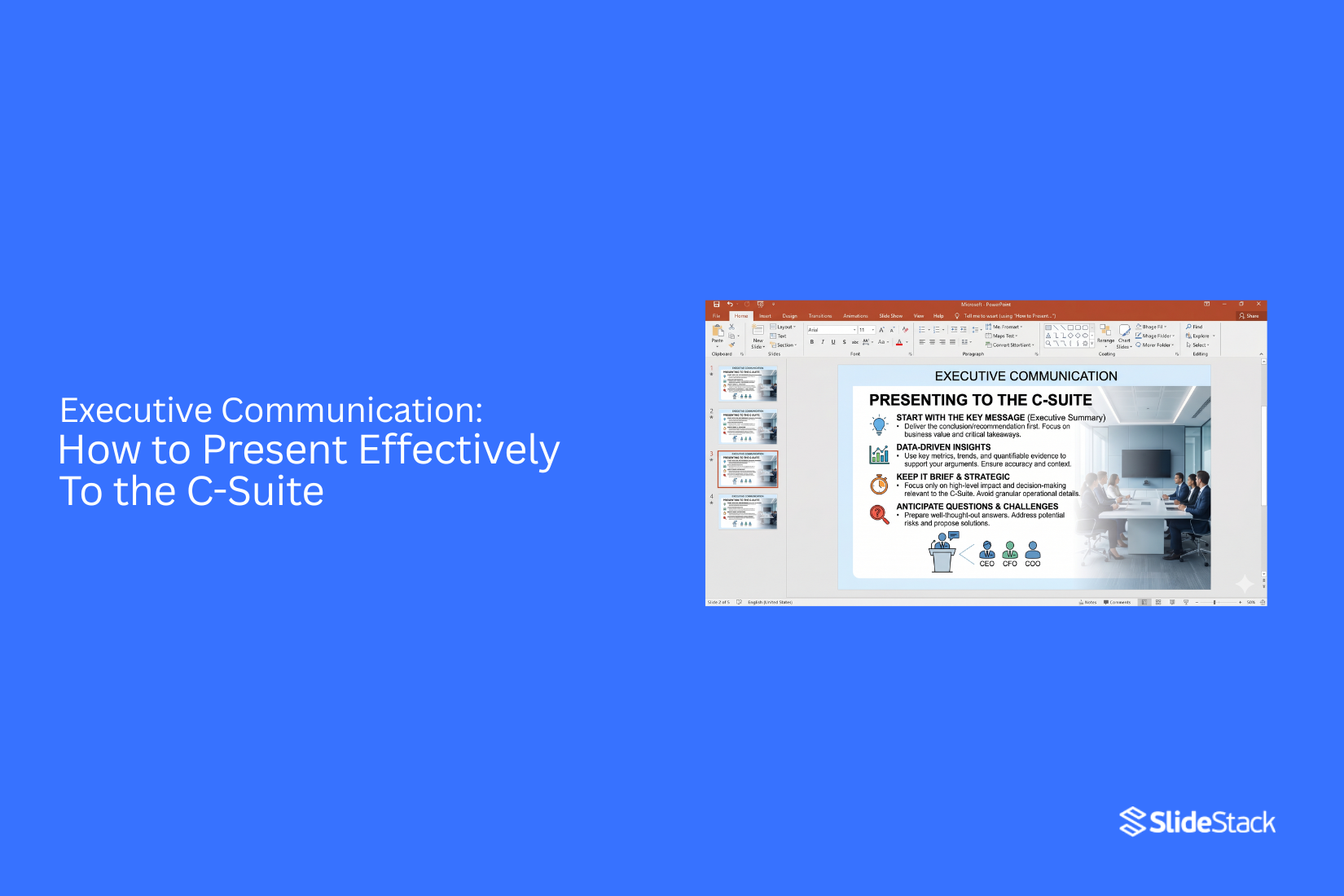
Executive presentations often fail because the message is unclear and slides carry too much detail. Weak structure hides the main point and slows decision making in meetings. Executives expect direct answers that connect to business outcomes and priorities. Clarity often gets lost in delivery. Meetings run short on attention. Then pressure builds quickly in the room. Executives challenge every point and look for gaps in reasoning. They move fast and expect clarity without extra explanation. Long explanations lose their attention quickly. Poor presentations lead to weak decisions and missed opportunities. Trust in leadership can drop after unclear communication. Strong executive communication shapes outcomes and future direction. Clear communication changes how executives respond in the moment. It guides decisions.
Why is an Executive Presentation a Different Presentation Type?
An executive presentation is a distinct presentation type because it is built for decision-making within strict limits of time, attention, and cognitive load. When engaging with a CEO, board member, or senior leadership team, attention is not given freely; it is earned through precision, relevance, and an immediate signal of value. Even when a session is scheduled for ten minutes, the effective opportunity to influence a decision is often significantly shorter. This reality demands a fundamentally different design approach compared to informational or operational presentations.
The core question behind an executive presentation is straightforward: if only one message could be delivered to the decision-maker, what should it be? That single question defines how the entire narrative is structured. Executives do not engage with presentations to reconstruct the analysis step by step. They expect synthesis. Raw data, process explanations, and methodological detail are only meaningful when they directly influence risk, return, resource allocation, or strategic positioning. The objective is not to describe how work was completed, but to make clear what it means and what action it requires.
This requirement shifts the burden onto the presenter to make decisions rather than provide information. Content must align with how senior leaders process input: rapidly, selectively, and with a focus on outcomes. Each argument must remain stable under scrutiny, and every recommendation must be explicit enough to support immediate judgment. As a result, executive presentations prioritize conclusions upfront, supported by carefully selected evidence, while detailed analysis is deliberately positioned for reference rather than delivery.
To support this structure, strategic frameworks such as KPIs, OKRs, the Balanced Scorecard, SWOT analysis, the McKinsey 7S model, and Porter’s Five Forces are commonly used. These frameworks are effective because they compress complex business environments into structured decision logic. Consulting organizations such as McKinsey, Bain, and Deloitte have reinforced this discipline through executive briefing formats that consistently prioritize headline-first communication. Over time, this has shaped a clear expectation: executive presentations are not designed to document work, but to accelerate decisions and enable action.
Understanding the C-Suite Audience
Communicating to executives starts with awareness of their work setting. Their schedules hold many responsibilities in short time blocks. Each decision links to the company's direction, spending, and performance. Messages that miss this setting lose clarity quickly and fail to hold interest. Executive priorities differ by role but stay tied to business outcomes. The CEO tracks overall direction, company results, and long-term position. The CFO reviews financial structure, cost impact, and forecast reliability. The CTO reviews systems, delivery strength, and technical risk. The Board reviews governance, oversight, and alignment with company direction. Operational detail only matters when it changes these outcomes.
Executive communication depends on a clear reduction of information. Leaders expect the main point without delay. Supporting logic must stay tied to decisions. Extra explanation slows understanding and reduces impact. The reasoning behind a recommendation matters more than a step-by-step description. Outcomes and trade-offs shape how messages are judged. Slide design sends signals about thinking quality. A single clear headline shows direction. Simple visuals support faster reading. Dense text blocks suggest an unclear structure. Large clusters of bullets reduce readability and weaken message strength. Each slide works best with one idea supported by focused data.
Executive review patterns move in short bursts. Leaders scan content before reading deeper. Their attention shifts toward risk or opportunity signals. Interruptions are normal during discussion and do not indicate disinterest. Strong structure keeps meaning intact even with breaks in flow. Executive presentations follow a layered structure. The first layer presents the main conclusion. The next layer provides supporting facts tied to the decision. The final layer holds detailed data for deeper review. This structure matches how executives process information during meetings and decision cycles.
How Executives Make Decisions in Presentations
Executives focus on results. They look for clear outcomes that affect the business. Numbers, risks, and timing matter most. They often decide early in the meeting. The opening moments set direction. A clear message helps them know what matters right away.
Data support their choices. Simple charts and direct facts work best. Too much detail slows understanding and can weaken focus. They also look at risk. What could go wrong? What happens if nothing changes? These questions shape their thinking.
Time plays a role, too. Short timelines get more attention. Long timelines need strong reasoning. Each point in a presentation should connect to business value. Revenue, cost, growth, or efficiency often guide the final call. By the end, they want clarity. One direction. One clear recommendation.
How to Structure an Executive Presentation
Executive presentations follow a strict order of thinking. The goal is simple. Help leaders make a decision without confusion. Every slide should move toward that outcome. The strongest approach follows the Pyramid Principle. The main message comes first. Details support it after. This method keeps attention on decisions instead of scattered information. The Pyramid Principle: A clear structure also supports faster alignment. Senior leaders scan, not study. A strong flow respects that behavior.
Lead with the Decision or Key Message
Start with the main point. Not background. Not set up. Executives want to know what matters right away. The first message should state the decision or recommendation in simple terms. This approach removes confusion. It sets the direction for the rest of the content. A weak start hides the point. A strong start makes it visible in seconds.
Present the Business Context
Context explains why the topic exists. Keep it short. Focus only on facts that affect the decision.
Use clear signals:
• What changed
• What triggered the review
• What problem exists now
Avoid a long history. Only include what supports the decision path. Context is support, not the main story.
Highlight Key Insights and Data
Insights come next. Limit them to one to three points. More than that reduces clarity. Each insight should answer one question:
• What does the data show
• What does it mean for the business
Keep numbers simple. Focus on patterns, not raw detail. This stage connects evidence to meaning. Without this step, decisions feel weak or unsupported.
Provide Clear Recommendations
Recommendations must be direct. No open-ended language. State what should happen next. Use simple actions.
Each recommendation should:
• Match one insight
• Lead to a clear outcome
• Avoid extra options that create a delay
Executives look for direction here. Not exploration.
Define Risks, Trade-offs, and Impact
Every decision has limits. These must be stated early.
Cover three areas:
• Risks that may affect results
• Trade-offs in cost, time, or scope
• Expected impact on business goals
This section builds trust. It shows full awareness of consequences.
Balanced thinking frameworks like SWOT or OKRs often support this part by linking strategy to measurable outcomes. SWOT Analysis OKR Framework
Recommended PowerPoint Templates for Executive Presentations
Strong executive slides keep focus on key points. Layout and structure matter more than decoration. The right template supports clear thinking and sharp delivery.
Minimalist Corporate Template
This style uses clean space and simple layouts. Text stays short and clear. Charts and numbers stand out without distraction. It works well for decision-focused meetings. Leaders can scan slides quickly. The message stays easy to follow.
Data-Driven Dashboard Style Template
This style puts numbers at the center. Charts, KPIs, and metrics take most of the space. Each slide acts like a control panel for performance. It fits reports that track progress or results. Patterns in data become easier to see. Discussions stay grounded in facts.
High-Impact Visual Storytelling Template
This style uses strong visuals with limited text. One idea sits on each slide. Images and diagrams carry the message. It suits moments that need clarity and focus. Ideas move in a simple sequence. The story stays easy to follow from slide to slide.
Boardroom-Ready Formal Template
This style follows a structured and formal layout. Text aligns neatly. Charts stay simple and precise. It works well for senior meetings and reviews. The tone stays steady and professional. Each slide supports clear discussion and decision-making.
Delivery Tips for Executive Presentations
Delivery quality shapes how the message is judged. Executives do not separate content from the person delivering it. Weak delivery reduces the value of strong ideas. Strong delivery raises the credibility of even simple points. Performance in the room becomes part of the evaluation.
Time Management and Pacing
Time discipline defines control in executive settings. A presentation without a pacing structure often loses priority signals early. Each section needs a fixed time boundary. Opening context should stay short and focused on the decision frame. Core points should carry most of the allocated time. Supporting detail must stay controlled, not expanded during delivery.
A slide should not extend beyond its intended window. A clear rule applies here. If a slide cannot be explained in about 20 seconds, it carries too much information. Rehearsal must include timed runs. This is not optional practice. It is the only way to prevent overrun and loss of narrative control. Transitions between sections should feel planned, not improvised.
Executive Q&A often interrupts pacing. These moments are not distractions. They function as pressure tests on clarity and readiness. Answers must stay brief and return control to the structure.
Clarity in Slide Communication
Slide clarity reflects thinking discipline. Each slide should contain one core idea. Multiple ideas on a single slide reduce decision focus. Executive audiences scan before they listen. A slide must communicate its point even before verbal explanation begins.
Text-heavy slides reduce comprehension speed. Replace long explanations with direct statements. Keep phrasing aligned with executive summary style. A simple test applies. If the message cannot be stated in one sentence, the slide is overloaded. Consistency across slides matters more than decoration. Structure repetition helps the audience track progression without effort.
The Power of Visual Storytelling
Visuals carry meaning faster than text. Charts, dashboards, and simple diagrams reduce cognitive load during decisions. Data should not be narrated line by line. It should be interpreted through visuals that already highlight the pattern. The speaker then confirms the meaning rather than rebuilding it. A cluttered visual forces explanation instead of insight. Clean visuals shift focus toward conclusions.
Each chart must answer a specific question. If a visual does not support a decision or clarify a comparison, it does not belong on the slide. Strong presentations rely on synthesis. Weak presentations rely on description. Visual design determines which path the audience follows.
Presenter Preparation and Rehearsal
Preparation defines authority in the room. Content knowledge must go beyond slide familiarity. The presenter should understand how figures were derived, what assumptions support them, and where limitations exist. Executives often test weak points through targeted questions. A CFO may challenge forecast logic or cost structure assumptions. These questions are not interruptions. They are validation checks.
Uncertainty must be handled directly. Avoid long explanations when the data is incomplete. State what is known, what is assumed, and what requires follow-up. Rehearsal should include pressure scenarios. This includes interrupted delivery, sudden time reduction, and unexpected questions. The goal is stability under constraint, not scripted perfection.
Handling Questions with Confidence
Q&A defines credibility more than the main delivery. Each question signals an area of executive attention. Responses should remain concise. Long answers reduce control and introduce drift. Start with the direct answer, then provide supporting context only if required. Some questions aim to test depth rather than request information. These should be treated as validation points. Respond with clarity, not defensiveness.
If an answer is not available, acknowledge it without hesitation. Offer a follow-up path with structure and timing. This maintains trust and preserves control of the discussion flow. Confidence in Q&A comes from preparation, not improvisation. The strongest presenters treat questions as part of the planned structure, not a break from it.
Common Mistakes in Executive Presentations
Executive presentations often fail at the point where decisions need to be made. The issue is not effort. The issue is structure and clarity. Many slides carry more than they should. Key messages get buried. Decision paths become unclear. Below are patterns that reduce effectiveness in executive settings.
Overloaded Slides with Excess Information
Many slides contain too much content. Multiple charts sit on one page. Long paragraphs replace clear points. This creates cognitive strain. Executives scan, they do not read deeply during early review. Key signals get lost in detail. Strong presentations keep one clear point per slide. Supporting data moves to backup sections. This keeps focus on decision-relevant information.
Delaying the Core Message or Recommendation
Some presentations place the main point late in the deck. Context appears first. Background takes priority. The recommendation comes near the end. This structure conflicts with executive attention patterns. Leaders look for direction early. Delayed conclusions reduce clarity and slow decision flow. Clear presentations state the recommendation upfront. Supporting logic follows in a structured order. This aligns with how decisions are made under time limits.
Using Excess Technical Language
Technical details often dominate slides. Industry terms and system language fill the narrative. Cross-functional readers lose clarity. This reduces shared understanding across leadership teams. Finance, operations, and strategy roles interpret information differently when the language is too narrow. Clear communication uses simple terms tied to business meaning. Technical depth belongs in supporting discussion, not the main narrative.
Misalignment Between Data and Business Goals
Some presentations show strong data but a weak connection to outcomes. Metrics appear without clear business relevance. Charts exist without decision context. This creates uncertainty in evaluation. Executives need to see how information links to revenue, cost, risk, or performance. Strong structure ties every data point to a business result. Each insight supports a decision path. This keeps focus on outcomes rather than numbers alone.
Weak or Unclear Executive Summary
Some summaries repeat slide content without direction. Key points are not separated from the details. The main message is unclear. This leads to slow interpretation at the start of the presentation. Decision makers need a clear view before reviewing details. A strong summary states the core recommendation and key reasoning in direct form. It sets the direction for the full presentation.
How to Lead a C-Suite Conversation Effectively
C-suite conversations focus on action. Leaders want clear direction. They also want strong reasoning behind each point. The goal is to guide the discussion toward choices that matter for the business.
Steering Discussions Toward Decisions
Start with the main decision on the table. State it in plain terms. This sets the direction right away. Keep bringing the discussion back to that decision. Executives often explore many angles. Some points add value. Others drift away from the goal. A steady focus on the decision keeps the room aligned. Clear signals help here. Short summaries of progress in the discussion keep everyone on track.
Managing Pushback and Challenges
Pushback is part of executive rooms. It shows interest and care for outcomes. Listen fully before responding. Let the concern land. Rushing a reply weakens your position. Respond with facts and clear logic. Keep answers direct. Avoid long explanations that dilute the message. Some concerns may shift the direction of the discussion. That is normal. Stay grounded and keep returning to the main point.
Framing Trade-offs Clearly
Most executive decisions involve trade-offs. One option may improve speed. Another may reduce cost. A third may improve quality. Lay these out in simple terms. Keep each option separate. This helps leaders compare choices without confusion. Show what is gained and what is given up for each path. That clarity supports faster decisions.
Maintaining Executive Attention and Control
Attention in C-suite rooms is limited. Every word must earn its place. Lead with the most important point first. Follow with supporting details only where needed. Keep sentences short and direct. Avoid long setups before key points. If the discussion shifts, bring it back with focus. A simple recap of the goal helps reset the room.
Final Notes
Executive presentations are built to support decisions. They are not built to display full detail or extended reporting. The goal stays on helping leaders move from information to action with speed and clarity.
A strong CEO presentation, a focused strategic update, or a concise executive briefing delivers understanding faster than expected. Structure, visuals, and delivery all work toward one outcome. They reduce cognitive load while keeping analytical depth intact. Structure sets the foundation. Ideas follow a clear order that removes confusion. Each point connects directly to the central message. Extra detail stays secondary, so attention does not split.
Visuals support quick understanding. Simple layouts and direct charts help the audience grasp meaning without effort. Each slide carries one idea. Nothing competes for attention. Delivery shapes impact. Strong presenters guide attention toward implications. They focus on what the insight means for the business. They also stay prepared for questions that challenge assumptions, keeping the discussion steady and focused.
A clear shift happens in approach. The presenter stops trying to include everything. The focus moves toward shaping how leaders think about the issue. That shift increases influence and speeds alignment. Templates, dashboards, and AI-assisted tools support this process. Their role stays limited to refining clarity and improving message flow. They remove friction, not judgment.
FAQs
How is an executive presentation different from a standard business presentation?
Executive presentations start with the main point. The goal is a decision, not an explanation. Standard business presentations often build context first. Executive settings do the opposite. They lead with the result and support it with only what matters for action.
What should an executive summary slide include?
Start with the conclusion. State the decision request in clear terms. Add the key drivers behind it. Keep it short. Place detailed data in backup slides. Executives scan quickly. They need direction in seconds, not a full story.
How do I decide what content belongs in the main slides?
Focus on the impact on the decision. Ask if the information changes the choice or risk level. If it does not, move it to the appendix. Main slides should support action. Extra detail should stay separate unless it changes trust or outcome.
How should timing be handled in executive presentations?
Lead with the summary in the first minutes. Do not build up slowly. Executives may interrupt early. That is normal. Be ready to shift into questions. Keep responses short and tied to the decision point.
How should Q&A be prepared for executive meetings?
Prepare beyond surface answers. Think through the assumptions behind each slide. Review possible objections from finance, operations, and leadership roles. Each question should connect back to impact, risk, or trade-offs in the decision.
What is the best slide structure for executive communication?
Use one idea per slide. The headline should state the message, not describe the topic. Add only supporting evidence that drives the decision. KPI dashboards and clear visuals work better than dense text.
Which frameworks help in executive presentations?
KPIs, OKRs, SWOT, and Balanced Scorecard are common tools. They help structure performance and priorities in a shared language. Use them only when they support the decision, not to fill space.
What is the most common mistake in executive presentations?
Delaying the conclusion. Many presenters start with background and data. Executives want the answer first. If the conclusion comes late, attention drops, and decisions slow down.
Should process details be included in executive decks?
Only include process details if they affect risk or trust. Otherwise, move them to backup material. Executives focus on outcomes and consequences, not step-by-step explanations.
How is a board presentation different from an executive presentation?
Board presentations focus on governance, oversight, and long-term risk. Executive presentations focus on operational decisions. Boards want assurance. Executives want action.
What is a simple way to improve pacing in executive slides?
Use the 20-second rule. Each slide should be explainable in about 20 seconds. If it takes longer, it likely contains too much information or too many ideas.


You may also be interested in ...

How To Create An Eye-Catching Portfolio
If you’re looking to create an eye-catching portfolio, this post will come in handy. In this article, you can find the easies...
23 Jun, 2024

How To Easily Create An Infographic
Infographics are the perfect way to make a presentation that will impact an audience, but their design and composition might...
08 Jun, 2024

PowerPoint Template Tips & Tricks You Ne...
PowerPoint seems to be an unknown world for many people, especially those who have been assigned to create a presentation out...
08 Jun, 2024