How to Create a Content Marketing Plan in PowerPoint
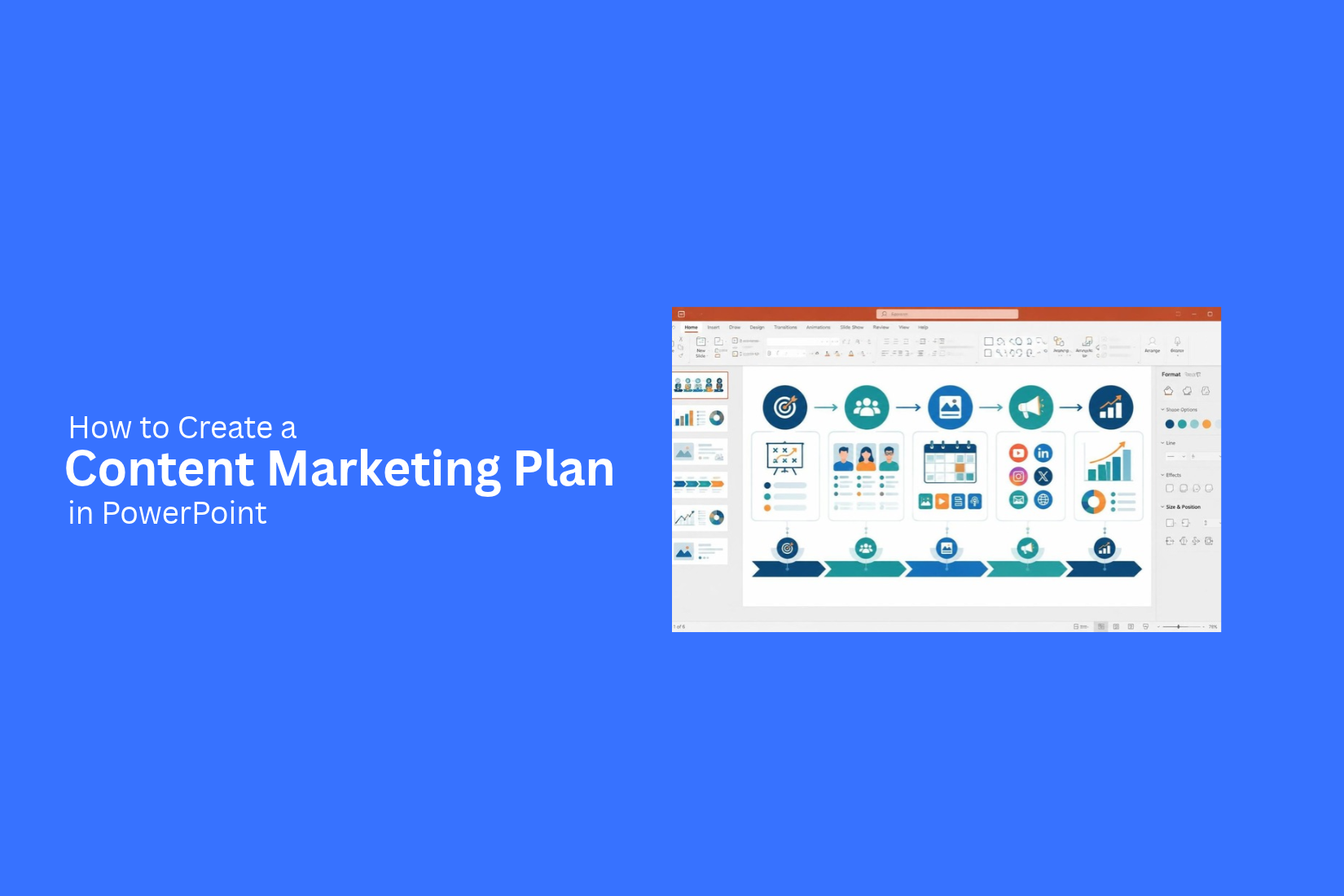
Creating content without a clear plan can lead to missed deadlines, mixed messages, and topics that do not support your marketing goals. Teams may spend time making posts, videos, and articles without knowing what to publish next or who each piece should reach.
These gaps can make it hard to keep content organized and track its results. A plan helps bring goals, audience details, topics, publishing dates, channels, budgets, and measures into one place.
PowerPoint can help you lay out these details in clear, easy-to-follow slides. In this article, you will learn how to build a content marketing plan in PowerPoint, choose the right slides, and present your strategy to your team.
What Is a Content Marketing Plan?
A content marketing plan is a document that explains how a business will create, share, and manage content. It sets clear goals for each piece of content. It also helps teams decide what to publish, who will create it, and where to share it.
A good plan keeps all content work organized. It connects each topic to a business goal. It also helps teams track their work and measure results.
A content marketing plan often includes:
• Marketing Goals: The results a business wants to achieve through content.
• Target Audience: The people the content aims to reach.
• Content Topics: The subjects that match audience needs and business goals.
• Content Types: The formats used, such as blog posts, videos, social media posts, and infographics.
• Publishing Schedule: The dates and channels for sharing each piece of content.
• Team Roles: The people responsible for planning, writing, editing, and publishing content.
• Performance Tracking: The measures used to check content results.
A PowerPoint presentation makes this plan easier to share with a team. You can use separate slides for goals, audience details, content topics, timelines, and performance measures. This gives everyone a clear view of the plan and their role in it.
Why Create a Content Marketing Plan in PowerPoint?
A content marketing plan needs clear goals, organized ideas, and a set schedule. PowerPoint helps you bring all these details into one presentation. You can use slides to share your content goals, target audience, topics, publishing schedule, and key tasks.
Here are a few reasons to create your content marketing plan in PowerPoint:
1. Keep All Your Plans in One Place
A PowerPoint presentation helps you organize your content ideas and plans. You can create separate slides for goals, content types, topics, and deadlines. This makes it easier to review your plan and keep track of each task.
2. Make Your Strategy Easy to Understand
Charts, tables, and diagrams can help explain your content marketing plan. You can use them to show your publishing schedule, content goals, and progress. Team members can understand the plan without reading long documents.
3. Share Ideas With Your Team
A PowerPoint presentation gives your team a shared view of the content plan. You can use it during meetings to discuss topics, assign tasks, and set deadlines. Everyone can follow the same plan and understand their role.
4. Track Content Progress
You can add charts, tables, and status labels to track your content work. For example, use a table to show which posts are planned, in progress, or published. This helps your team review tasks and spot delays.
5. Update Your Plan With Ease
Content needs can change over time. PowerPoint lets you edit slides as your goals, topics, and schedules change. You can add new ideas, remove old tasks, or adjust deadlines without rebuilding the full presentation.
Key Elements of a Content Marketing Plan
A good content marketing plan needs a clear structure. Each part should explain what your team wants to achieve and how it will get there. Add the main details to your PowerPoint slides. This makes the plan easier to read, share, and follow.
1. Marketing Goals
Start by listing your main marketing goals. These goals explain what your team wants to achieve through content. You may want to increase website visits, get more leads, grow brand awareness, or improve customer engagement.
Keep each goal clear and easy to track. Add a few short points to your slide. You can also include a target and a deadline for each goal.
2. Target Audience
Your content should speak to the right people. Define your target audience before planning topics or choosing content formats.
Include details such as age group, interests, needs, job roles, and common problems. A simple audience profile can help your team understand who will read, watch, or view your content.
3. Content Types and Topics
List the content types your team plans to create. These may include blog posts, videos, social media posts, infographics, case studies, and email newsletters.
Next, add the main topics for each format. Group related topics into clear categories. This helps your team plan content for different audience needs.
4. Content Distribution Channels
Explain where your team will share each piece of content. Your channels may include your website, blog, email, and social media platforms.
Match each content type with the right channel. For example, share blog posts on your website and promote them through social media. Add the main channels to your PowerPoint slide so everyone knows where the content will appear.
5. Content Calendar
A content calendar shows what your team will publish and when. It also helps everyone stay on track. Add the planned topics, content formats, publishing dates, and assigned team members. A monthly calendar or simple timeline can work well in PowerPoint. Use different colors to mark each content type or publishing status.
6. Roles and Responsibilities
A content marketing plan should show who handles each task. List the team members and their roles. For example, one person may write blog posts, another may design graphics, and someone else may manage social media.
You can use a simple table to show each person's name, task, and deadline. This helps the team understand who is responsible for each part of the plan.
7. Budget and Resources
Add a section for the budget and resources needed to run your content marketing plan. Include costs for content creation, design tools, paid ads, freelancers, and other related tasks.
Show the estimated cost for each item. A table or bar chart can help your audience compare the planned expenses.
8. Performance Metrics
The final part should explain how your team will measure results. Choose metrics that match your marketing goals.
For example, track website traffic, social media engagement, email clicks, leads, and conversions. Add a target for each metric. You can also use charts to show progress over time.
These elements give your content marketing plan a clear structure. Add one main element to each PowerPoint slide. Use short text, simple visuals, and clear charts to keep the plan easy to follow.
How to Create a Content Marketing Plan in PowerPoint
A content marketing plan helps you organize your ideas, goals, and tasks. PowerPoint makes it easier to present this plan to your team. You can use slides to show your content topics, schedule, budget, and key results. Follow these steps to build a clear content marketing plan in PowerPoint.
Step 1: Choose a Content Marketing Plan Template
Start with a PowerPoint template that fits your needs. A ready-made template saves time and gives your slides a consistent look.
Look for a template with space for goals, audience details, content topics, timelines, and budgets. Check the slide layouts before you begin. Make sure they support the type of information you want to share.
You can also use a blank presentation. This gives you more control over the layout and design.
Step 2: Define Your Marketing Goals
Set clear goals for your content marketing plan. These goals will guide your content ideas and help your team stay focused.
Your goals may include:
- Increase website traffic.
- Get more leads.
- Build brand awareness.
- Grow social media followers.
- Increase product sales.
- Improve customer engagement.
Add your main goals to a slide. Use short statements so your team can understand them at a glance. You can also add a target and a deadline for each goal.
Step 3: Identify Your Target Audience
Your content should match the needs and interests of your target audience. Add a slide that describes the people you want to reach.
Include details such as:
- Age group.
- Location.
- Interests.
- Common needs.
- Buying habits.
- Main problems.
You can also create a buyer persona. Give this person a name and add a short profile. This helps your team understand who the content is for.
Step 4: Plan Your Content Topics and Formats
Now, list the topics you want to cover. Choose subjects that match your marketing goals and audience needs.
Next, select the content formats for each topic. Your options may include:
- Blog posts.
- Social media posts.
- Videos.
- Infographics.
- Ebooks.
- Case studies.
- Email newsletters.
Create a slide with your planned topics and formats. A table can help you organize this information. Add a column for the topic, content format, and main goal.
Step 5: Create a Content Calendar
A content calendar shows what you plan to publish and when. It helps your team manage tasks and follow a clear schedule.
Create a calendar in PowerPoint using a table. Add the following details:
- Content title.
- Content format.
- Publishing date.
- Assigned team member.
- Content status.
You can use different colors to show task status. For example, use one color for planned content, another for content in progress, and a third for published content.
Step 6: Select Content Distribution Channels
Creating content is only one part of the plan. You also need to decide where to share it.
Choose channels based on your audience and content formats. These may include:
- Company website or blog.
- Facebook.
- Instagram.
- LinkedIn.
- YouTube.
- Email newsletters.
Add each channel to a PowerPoint slide. Include the content type and posting schedule for each one. This gives your team a clear view of how the content will reach its audience.
Step 7: Set Your Budget and Resources
Your content marketing plan needs a clear budget. List the costs linked to content creation, design, promotion, and other tasks.
Include resources such as:
- Content writers.
- Graphic designers.
- Video editors.
- Marketing tools.
- Paid advertising.
- Content management tools.
Create a budget table in PowerPoint. Add each expense, its estimated cost, and the total budget. You can also use a pie chart to show how the budget is divided across different tasks.
Step 8: Define KPIs and Measurement Methods
Key performance indicators (KPIs) help you track the results of your content marketing plan. Choose metrics that match your goals.
Here are some examples:
- Website traffic.
- Number of leads.
- Social media engagement.
- Email open rates.
- Video views.
- Conversion rates.
- Sales revenue.
Add a KPI slide to your presentation. Show each metric with its target and measurement method. You can use charts or tables to make the results easier to read.
Step 9: Organize Your Plan Into Presentation Slides
Your final task is to bring all the details together. Arrange your slides in a clear order so your team can follow the plan from start to finish.
A simple slide structure may look like this:
- Title Slide: Add the plan name, company name, and date.
- Marketing Goals: Show your main goals and targets.
- Target Audience: Describe your audience and buyer personas.
- Content Topics: List your planned topics and formats.
- Content Calendar: Show your publishing schedule.
- Distribution Channels: List the platforms you will use.
- Budget and Resources: Show the estimated costs and team needs.
- KPIs: Present your key metrics and targets.
- Action Plan: List the next steps and assigned tasks.
Keep each slide focused on one main idea. Use short text, clear headings, and simple visuals. Add tables, charts, and timelines to present data. Review the full presentation to check that every part of the plan is easy to follow.
Essential Slides to Include in a Content Marketing Plan Presentation
A good content marketing plan presentation needs a clear structure. Each slide should cover one part of the plan. This helps your team understand the goals, audience, content types, schedule, and budget. It also gives everyone a clear view of the work ahead.
Here are the key slides to include in your PowerPoint presentation.
Content Marketing Overview Slide
Start with a brief overview of your content marketing plan. Explain what the plan covers and why your team needs it. Add a short description of your business, main products or services, and content marketing approach.
You can also list the main content channels you plan to use. These may include blogs, social media, email, videos, or other formats. Keep this slide simple so your audience can understand the plan at a glance.
Marketing Goals and Objectives Slide
Your marketing goals give direction to the entire plan. Use this slide to explain what you want to achieve through content marketing.
Add clear goals such as:
• Increase website traffic.
• Generate more leads.
• Build brand awareness.
• Improve audience engagement.
• Increase product or service sales.
You can also add measurable targets to each goal. For example, set a target for monthly website visits or new leads. This makes it easier to track progress later.
Target Audience Profile Slide
Your content should match the needs and interests of your target audience. Use this slide to show who you want to reach.
Include details such as age group, location, job role, interests, and common needs. You can also add audience problems and the type of content they prefer.
A simple buyer persona layout works well here. Add a name, a short profile, key goals, and common problems. This gives your team a clear idea of who they are creating content for.
Content Strategy Slide
This slide explains what type of content you plan to create and how each type supports your marketing goals.
List your main content formats, such as:
• Blog posts and articles.
• Social media posts.
• Videos and tutorials.
• Email newsletters.
• Case studies and reports.
• Infographics.
You can also group your content by topic or theme. For example, a software company may focus on product tutorials, industry updates, customer stories, and useful tips. This gives your team a clear direction for content creation.
Content Calendar Slide
A content calendar shows what you plan to publish and when each piece will go live. It helps your team manage deadlines and keep a regular publishing schedule.
Use a table or calendar layout to show the following details:
• Content title or topic.
• Content format.
• Publishing date.
• Assigned team member.
• Content status.
You can organize the calendar by week or month. Use different colors to mark each content type or publishing status. This makes the schedule easier to read.
Content Distribution Plan Slide
Creating content is only one part of the plan. You also need to show how people will find it.
Use this slide to list the channels where you plan to share your content. These may include your website, social media platforms, email campaigns, and other online channels.
Add a short note about how each channel will be used. For example, blog posts can be shared through social media and email newsletters. Videos can be posted on video platforms and used in social campaigns.
You can also show how often you plan to share content on each channel.
Budget and Resource Allocation Slide
Every content marketing plan needs a clear budget. Use this slide to show how much money and time your team will need.
Break down the budget into key areas, such as:
• Content creation.
• Graphic design and video production.
• Paid advertising.
• Content management tools.
• Freelancers or outside services.
You can use a table or pie chart to show the budget for each area. Also, list the team members responsible for each task. This helps everyone understand the resources needed to carry out the plan.
Performance Tracking Dashboard Slide
The final slide should show how you will measure the results of your content marketing plan. Add the key performance indicators (KPIs) that match your marketing goals.
Some useful metrics include:
• Website traffic.
• Page views.
• Social media engagement.
• Email open rates.
• Lead generation.
• Conversion rates.
• Content shares and downloads.
Use charts, graphs, and simple data tables to display these metrics. You can also add monthly targets and actual results for easy comparison. This helps your team see which content performs well and where changes may be needed.
Tips for Designing a Content Marketing Plan in PowerPoint
A good content marketing plan needs clear information and a simple layout. Your PowerPoint slides should help readers understand each part of the plan. Use these tips to make your presentation clear and easy to follow.
1. Use a Consistent Slide Layout
Keep the same font styles, colors, and heading sizes across your slides. Use a similar layout for related topics. This helps readers follow the content without distraction.
2. Keep Text Short and Clear
Avoid adding long paragraphs to your slides. Use short sentences and key points to share your ideas. Add more details through speaker notes if needed. This keeps each slide easy to read.
3. Use Charts to Show Data
Charts can help explain your content marketing results. Use bar charts to compare content performance. Use pie charts to show the share of different content types. Pick a chart that matches the data you want to share.
4. Add Visuals to Support Your Ideas
Use relevant images, icons, and diagrams to explain key points. For example, a content calendar can show your publishing schedule. A simple flowchart can explain your content creation process. Make sure each visual supports the slide topic.
5. Organize Slides in a Logical Order
Start with your marketing goals. Then cover your target audience, content types, channels, schedule, and budget. Place performance tracking near the end. This order helps readers understand how each part connects to the plan.
6. Highlight Key Information
Use bold text, color, or simple shapes to draw attention to key details. Highlight important dates, goals, and budget figures. Avoid using too many colors or design elements on one slide.
Common Mistakes to Avoid in a Content Marketing Plan
A content marketing plan should give your team clear direction. Some mistakes can make the plan hard to follow or use. Here are a few issues to avoid in your PowerPoint presentation.
1. Setting Unclear Marketing Goals
Vague goals make it hard to track progress. Your plan should state what you want to achieve. Use clear targets for website traffic, leads, sales, or audience growth. Add a timeline for each goal.
2. Ignoring the Target Audience
Content has little value if it does not match the needs of your audience. Define who you want to reach. Include details about their interests, needs, and common questions. Use this information to guide your content topics.
3. Creating an Unrealistic Content Schedule
A packed publishing calendar can put too much pressure on your team. Set a schedule based on your available time and resources. Assign clear deadlines for each task. Leave enough time for writing, editing, and review.
4. Focusing on Too Many Content Types
Using many content formats can make your plan harder to manage. Choose formats that match your goals and audience needs. Start with a few types, such as blog posts, videos, or social media posts. Add more formats based on your team's capacity.
5. Forgetting to Set a Budget
Content creation may involve costs for tools, writers, designers, and promotion. Leaving out these costs can affect your plan. Add a budget section to your slides. List the main expenses and assign an amount to each one.
6. Skipping Performance Tracking
Publishing content is only one part of the plan. You also need to track its results. Set clear metrics for each goal. Add a slide that shows how your team will review performance and report progress.
7. Adding Too Much Information to Slides
Slides filled with text can make key details hard to find. Keep each slide focused on one main topic. Use short points, charts, and visuals to share information. Move extra details to speaker notes or supporting documents.
Final Notes
A content marketing plan gives your team a clear path for creating and sharing content. It helps you set goals, define your audience, choose content topics, and manage publishing dates. It also keeps team roles, budgets, and performance measures in one place.
PowerPoint makes it easier to present each part of your plan. Use separate slides for goals, audience profiles, content calendars, distribution channels, and KPIs. Keep the text short and use charts, tables, and visuals to explain key details.
Review your plan on a regular basis. Update topics, schedules, and budgets as your needs change. A clear and well-organized presentation helps your team stay focused and manage content tasks with confidence.
FAQs
1. What is a content marketing plan?
A content marketing plan is a document that explains how a business will create, share, and manage content. It includes goals, target audiences, content topics, publishing schedules, team roles, and performance metrics.
2. Why should I create a content marketing plan in PowerPoint?
PowerPoint helps you organize your content strategy into clear slides. You can present goals, topics, budgets, schedules, and KPIs in one place. It also makes it easier to share the plan with your team.
3. What should a content marketing plan include?
A content marketing plan should include marketing goals, target audience details, content types, distribution channels, a content calendar, team responsibilities, budget, and performance metrics.
4. How many slides should a content marketing plan presentation have?
The number of slides depends on your plan. A basic presentation can include slides for the overview, goals, target audience, content strategy, calendar, distribution channels, budget, KPIs, and action plan.
5. What types of content should I include in my content marketing plan?
You can include blog posts, social media posts, videos, infographics, ebooks, case studies, and email newsletters. Choose formats that match your marketing goals and audience needs.
6. How do I track the performance of a content marketing plan?
Use key performance indicators (KPIs) to measure results. Common metrics include website traffic, leads, social media engagement, email open rates, video views, conversion rates, and sales revenue. You can show these results through charts and tables in PowerPoint.
7. How often should I update my content marketing plan?
Review your plan on a regular basis. Update content topics, publishing dates, budgets, and team responsibilities as your needs change. Track performance to see which parts of the plan need attention.


You may also be interested in ...

Tips To Create A Great Infographic
Infographics Have been around for a while, but not many people know about them or are their preferred presentation choice. If...
08 Jun, 2024

3 Steps To Create The Best Presentation...
Presentations are something wonderful when well done, you can captivate an audience or be super interested in what another pe...
23 Jun, 2024

3 Tips For Your Next Presentation You MU...
PowerPoint presentations are perfect for explaining a topic and communicating your ideas with a visual aid. But most people s...
08 Jun, 2024