Layoff Presentation: How to Communicate Company Restructuring
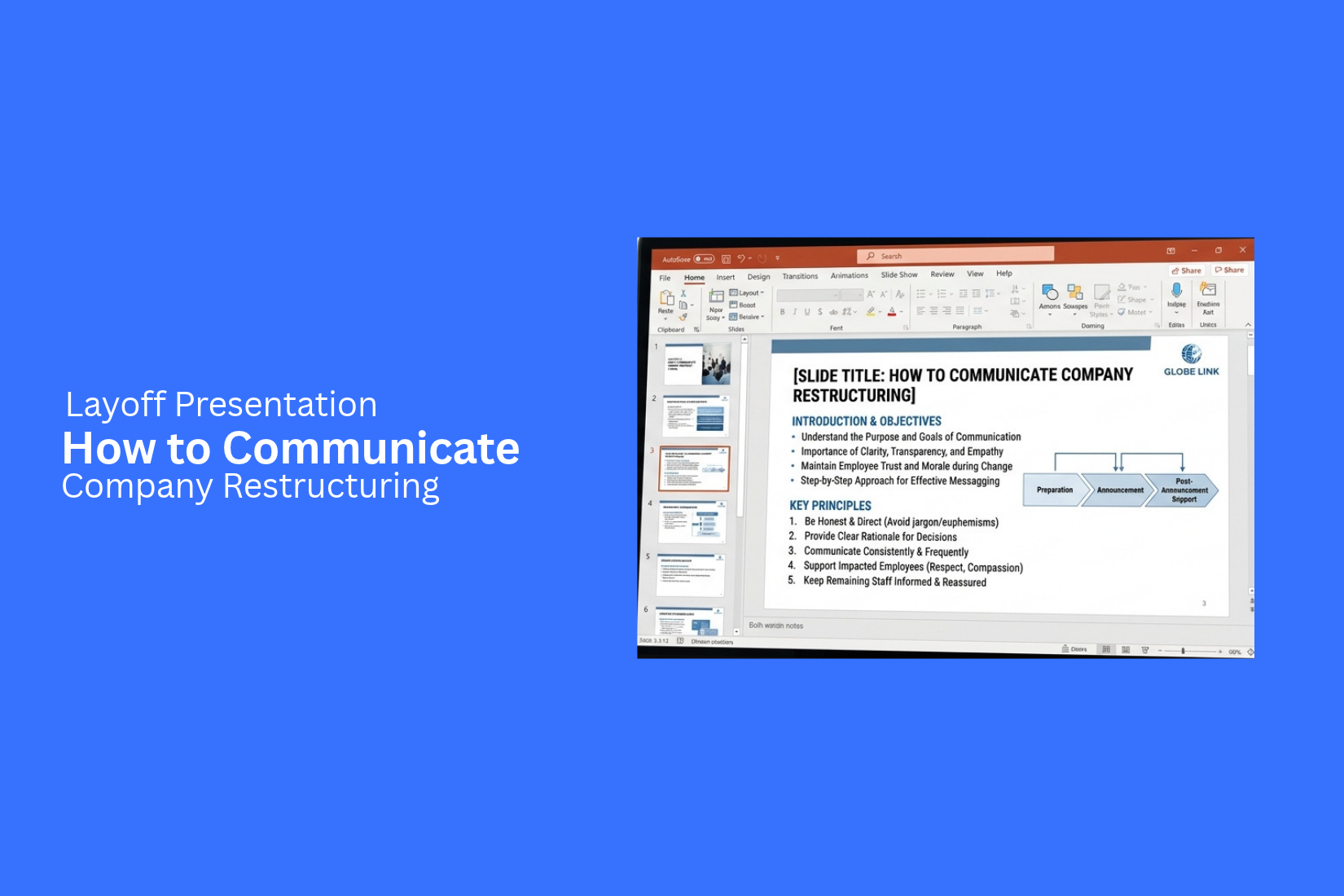
Company layoffs are difficult to communicate. Employees may feel worried about their jobs, income, and future with the company. A poorly planned message can create confusion and damage trust between employees and leaders.
The way a company shares layoff decisions matters. Unclear details, vague reasons, or missing support information can make an already difficult situation worse. Employees need honest answers and clear guidance about what happens next.
A well-planned layoff presentation can help leaders explain company restructuring in a clear and respectful way. It can cover the reasons for layoffs, organizational changes, employee benefits, and next steps. This article explains how to plan, create, and deliver a layoff presentation that addresses employee concerns.
What Is a Layoff Presentation?
A layoff presentation is a set of slides used to explain job cuts during a company restructuring. It helps company leaders share key details with employees. These details may include the reasons for the layoffs, the teams or roles affected, and the next steps.
The presentation should give employees a clear view of the changes. It should explain what is happening and how the company plans to manage the process. Leaders can also use it to share details about severance pay, final work dates, and support for affected staff.
A layoff presentation needs a clear and respectful tone. Employees may feel worried or upset about losing their jobs. Simple language and honest updates can help reduce doubt. The goal is to share the news with care and give everyone a clear understanding of what comes next.
Why Companies Need a Layoff Presentation
Company layoffs affect employees, managers, and the business as a whole. Clear communication helps everyone understand the reasons behind the changes. A layoff presentation gives leaders a structured way to share this news with employees.
A well-planned presentation helps companies:
• Explain the reasons for layoffs: Share the business reasons behind the decision. This may include budget cuts, lower revenue, or changes in company goals.
• Share key details: Explain which teams or roles are affected. Give clear details about the next steps.
• Reduce confusion: Answer common employee questions. Clear messages help prevent rumors and false information.
• Show respect for employees: Use a calm and honest tone. Acknowledge the impact of job losses on affected staff.
• Guide managers: Give managers the same facts and talking points. This helps them answer employee questions with consistent information.
• Explain future plans: Show how the company will move forward after the restructuring. Share changes to teams, roles, and work processes.
A layoff presentation also gives employees a clear place to find key information. It helps leaders share difficult news in an organized way. Most of all, it supports open communication during a major company change.
Key Elements of an Effective Layoff Presentation
A layoff presentation must give employees clear and honest information. It should explain the reasons for the company changes. It should also cover how the changes will affect employees and what happens next. Each section should focus on facts. Use simple language and a respectful tone. Here are the key elements to include in your presentation.
Reason for the Company Restructuring
Start by explaining why the company needs to make changes. Employees deserve to know the reasons behind the decision. Avoid vague statements or unclear explanations.
You can cover points such as:
• Financial losses or lower revenue.
• Changes in customer demand.
• Rising business costs.
• Company mergers or acquisitions.
• Changes in business priorities.
• The need to reduce operating costs.
Use facts and figures to support your message. For example, show changes in revenue, operating costs, or market demand. Keep the explanation honest. Do not blame employees for decisions made by company leaders.
Business Goals and Organizational Changes
Explain how the restructuring will affect the company's future plans. Show the main business goals behind the changes. This helps employees understand why certain roles or teams may change.
Include these details in your presentation:
• New business goals and priorities.
• Departments that will grow or become smaller.
• Teams that will merge or close.
• Changes in leadership or reporting lines.
• Roles that will be removed or changed.
• Plans for future business operations.
An organizational chart can help explain the new company structure. Use a simple layout to show team changes and reporting lines. Mark new roles and removed positions clearly.
Impact on Employees and Teams
Employees need clear details about how the layoffs will affect them. Explain which teams, roles, or locations are part of the restructuring. Avoid unclear terms that may cause more questions.
• Your presentation should cover:
• The number of roles affected.
• Departments or teams facing staff cuts.
• Changes to job duties and team structures.
• Employees who will remain in their current roles.
• Changes to workloads and reporting lines.
• The expected effect on daily operations.
Share only confirmed information. Do not make promises about job security or future roles unless the company can support them. Keep personal employee details private. Address individual cases in private meetings.
Layoff Timeline and Next Steps
A clear timeline helps employees understand what will happen after the announcement. It also gives them a better idea of what to expect in the coming days or weeks.
Break the process into clear stages. Include details such as:
• Date of the layoff announcement.
• Dates for private employee meetings.
• Last working day for affected employees.
• Final salary payment dates.
• Benefits end dates, if applicable.
• Dates for returning company property.
• Contact details for questions and support.
A timeline slide can present these dates in order. Use a simple layout with clear labels. Make sure all dates match the company's official plan. Explain any steps that employees must complete before leaving.
Employee Support and Severance Information
A layoff presentation should explain the support available to affected employees. Job loss can create financial and personal stress. Clear information can help employees understand their options.
Include details about:
• Severance pay and payment terms.
• Unused vacation or paid time off.
• Health insurance and other benefits.
• Retirement plan information.
• Career counseling and job search support.
• References and employment verification.
• HR contact details for follow-up questions.
Explain who qualifies for each benefit. Share payment dates and any required documents. Avoid using vague terms such as "support will be provided." Give employees clear details about the help they can receive. End this section with a reminder that employees can contact HR for private questions. Provide an email address or phone number so they know where to get help.
How to Structure a Company Layoff Presentation
A company layoff presentation needs a clear structure. Employees want to understand what is happening, why the company is making these changes, and how the decision will affect them. Each section should share useful information in a direct and respectful way.
A well-planned presentation can help leaders explain difficult decisions. It also gives employees a clear path to follow after the announcement.
Opening Message and Company Background
Start the presentation with a short and honest message. Acknowledge that the announcement may be difficult for employees. Use a calm and respectful tone.
Next, share some background about the company. Explain its current position, recent business changes, and the events that led to the restructuring. Keep this part focused on facts. Avoid long explanations or unclear statements.
Explain the Reasons for Workforce Reduction
Employees need to understand why the company is reducing its workforce. Explain the main reasons behind the decision. These may include financial losses, lower demand, budget cuts, or changes in business goals.
Use clear facts and figures to support the explanation. Share relevant business data, such as revenue changes or operating costs. This helps employees understand the business reasons behind the decision.
Keep the message honest. Avoid language that makes the decision sound less serious than it is.
Present the Organizational Changes
Show how the company structure will change after the layoffs. Explain which teams, departments, or roles will be affected. Also, share details about team mergers, role changes, or new reporting lines.
An organizational chart can make this section easier to follow. Use a before-and-after layout to show the main differences. Add short labels to explain each change.
This gives employees a clearer view of the company's new structure and how different teams will work together.
Communicate the Layoff Decision Clearly
This is one of the most sensitive parts of the presentation. State the layoff decision in clear and direct language. Explain which positions are affected and how the company will inform those employees.
Avoid vague statements or unclear terms. Employees should not have to guess what the announcement means for their jobs.
Share the expected timeline for the layoff process. Explain the next steps, such as individual meetings, written notices, and final working dates. Keep the tone respectful throughout this section.
Explain Employee Benefits and Support
Employees need clear details about the support available to them. Explain the benefits and services the company will provide during the transition.
Cover the relevant details, such as:
- Final salary and payment dates.
- Severance pay and eligibility.
- Health insurance and coverage dates.
- Unused vacation or leave payments.
- Job search and career support.
- Access to employee assistance services.
Use a simple table to present payment details and important dates. Make sure employees know where to find more information about their benefits.
Close with Next Steps and Contact Information
End the presentation with a clear list of next steps. Explain what employees need to do after the announcement. Include key dates, meeting schedules, and any required documents.
Provide contact details for the HR team or other support staff. Employees should know who to contact about salary, benefits, job status, or other concerns.
Keep the closing message short and respectful. Acknowledge the work employees have done for the company. Thank them for their time and contributions.
Best Practices for Communicating Layoffs Through Presentations
A layoff presentation needs more than clear slides. It also needs careful wording, respect, and honest communication. Employees may have concerns about their jobs, pay, and future plans. The way a company shares this news can affect how people respond. Follow these best practices to keep the message clear and respectful.
Use Clear and Direct Language
Use simple words to explain the layoff decisions. Avoid vague terms or corporate language that may leave employees unsure about what is happening. State the reason for the layoffs and explain which teams or roles are affected.
Keep each point short and easy to understand. Use direct statements instead of long explanations. For example, say, "The company will reduce its workforce by 10%." This gives employees a clear message without hiding the facts.
Show Empathy and Respect
Layoffs can affect employees on both a personal and professional level. Your presentation should show that the company understands this impact. Use a calm and respectful tone throughout the slides.
Avoid language that makes the decision sound like a routine business update. Acknowledge the impact on employees and thank them for their work. You can also include details about severance pay, job placement help, or other support. This shows that the company cares about the people affected by the decision.
Be Transparent About Key Decisions
Employees need honest answers about the restructuring process. Explain why the company made the decision. Share the business reasons behind the layoffs, such as cost reductions, team changes, or a shift in company goals.
Include clear details about the timeline and affected departments. Explain how the company selected the roles involved. Do not hide key facts or make promises you cannot keep. Clear information can help reduce rumors and give employees a better understanding of the situation.
Keep the Slides Simple and Professional
A layoff presentation should focus on the message, not visual effects. Use clean layouts, readable fonts, and a consistent color scheme. Avoid bright colors, decorative graphics, or animations that may make the news feel less serious.
Give each slide one main purpose. Use short text and clear headings to present key details. Charts and timelines can help explain workforce changes or important dates. Leave enough space between elements so employees can read each slide with ease.
Prepare for Difficult Questions
Employees may have questions about their jobs, final pay, benefits, and next steps. Prepare answers before the presentation. Create a separate FAQ slide or a short question-and-answer section to address common concerns.
Be ready to answer difficult questions with honesty and respect. If you do not have an answer, say so. Explain when employees can expect more details. You can also share the contact information of HR staff or other support teams. This gives employees a clear way to get help after the presentation.
Common Mistakes to Avoid in a Layoff Presentation
A layoff presentation must be clear, honest, and respectful. Poor communication can increase stress and create more questions among employees. Some mistakes can also damage trust between staff and company leaders. Avoid these common issues to make the announcement easier to understand.
Using Vague or Misleading Language
Avoid unclear words or phrases that hide the real reason for layoffs. Employees need direct answers about the changes. Use simple language to explain why the company is reducing its workforce. State which teams or roles are affected. Do not hide important details behind corporate terms. Clear communication helps employees understand the decision and its impact.
Overloading Slides with Information
Too much text can make a layoff presentation hard to follow. Employees may miss key details while trying to read long paragraphs. Keep each slide focused on one main point. Use short sentences and clear headings. Share extra details through handouts or follow-up documents. Give employees enough time to read and understand each slide.
Ignoring Employee Concerns
A layoff announcement affects people on a personal level. Employees may worry about their jobs, income, benefits, and future plans. A presentation should address these concerns directly. Set aside time for questions. Allow employees to share their thoughts. Leaders should listen with care and respond in a respectful way. Avoid treating employee questions as interruptions.
Making Promises You Cannot Keep
Avoid making promises about future jobs, company growth, or job security without clear facts. Such claims can create false hope. They can also damage trust if the company fails to meet those promises. Share only confirmed information. Be honest about details that are still unknown. Employees deserve clear answers rather than statements that may not come true.
Failing to Explain Available Support
Employees need to know what help they can receive after a layoff. A presentation should explain the support offered by the company. This may include severance pay, health benefits, career counseling, job search help, or access to employee assistance programs. Explain who can receive each type of support. Share contact details and key dates. Clear guidance helps affected employees understand their next steps.
Final Notes
A layoff presentation helps companies share difficult news with clarity and respect. It gives employees a clear view of the reasons behind the restructuring, the roles affected, and the steps ahead.
Keep the message honest and direct. Explain the timeline, severance details, employee benefits, and available support. Use simple slides and give employees enough time to ask questions. Managers should also be ready to guide their teams with the same information.
Most of all, treat employees with respect throughout the process. Clear communication can help reduce uncertainty and maintain trust during company changes.
FAQs
1. What should a layoff presentation include?
A layoff presentation should include the reasons for restructuring, affected teams and roles, layoff timelines, severance details, employee benefits, and available support. It should also provide HR contact information and next steps.
2. Why is a layoff presentation important?
A layoff presentation helps company leaders share difficult news in a clear and organized way. It gives employees a better understanding of the decisions, changes, and support available to them.
3. How do you communicate layoffs to employees?
Use clear and direct language. Explain why the company is reducing its workforce. Share which roles are affected and provide details about final work dates, pay, benefits, and support. Allow time for questions.
4. How should managers prepare for a layoff announcement?
Managers should review the presentation before the announcement. They need clear talking points and answers to common employee questions. They should also know what information they can share and where to direct employees for further help.
5. What should companies avoid in a layoff presentation?
Companies should avoid vague language, misleading statements, crowded slides, and promises they cannot keep. They should also avoid ignoring employee concerns or leaving out details about available support.
6. How can a company show empathy during a layoff presentation?
Use a calm and respectful tone. Acknowledge how job losses affect employees. Thank them for their work and explain the support available. Give employees time to ask questions and share concerns.
7. What is the best way to structure a layoff presentation?
Start with an opening message and company background. Explain the reasons for workforce reduction and show the organizational changes. Then share the layoff decision, employee benefits, timeline, next steps, and contact information.




You may also be interested in ...

Tips To Create A Great Infographic
Infographics Have been around for a while, but not many people know about them or are their preferred presentation choice. If...
08 Jun, 2024

3 Steps To Create The Best Presentation...
Presentations are something wonderful when well done, you can captivate an audience or be super interested in what another pe...
23 Jun, 2024

3 Tips For Your Next Presentation You MU...
PowerPoint presentations are perfect for explaining a topic and communicating your ideas with a visual aid. But most people s...
08 Jun, 2024