How to Do a Presentation in Class: Step-by-Step Guide for Students
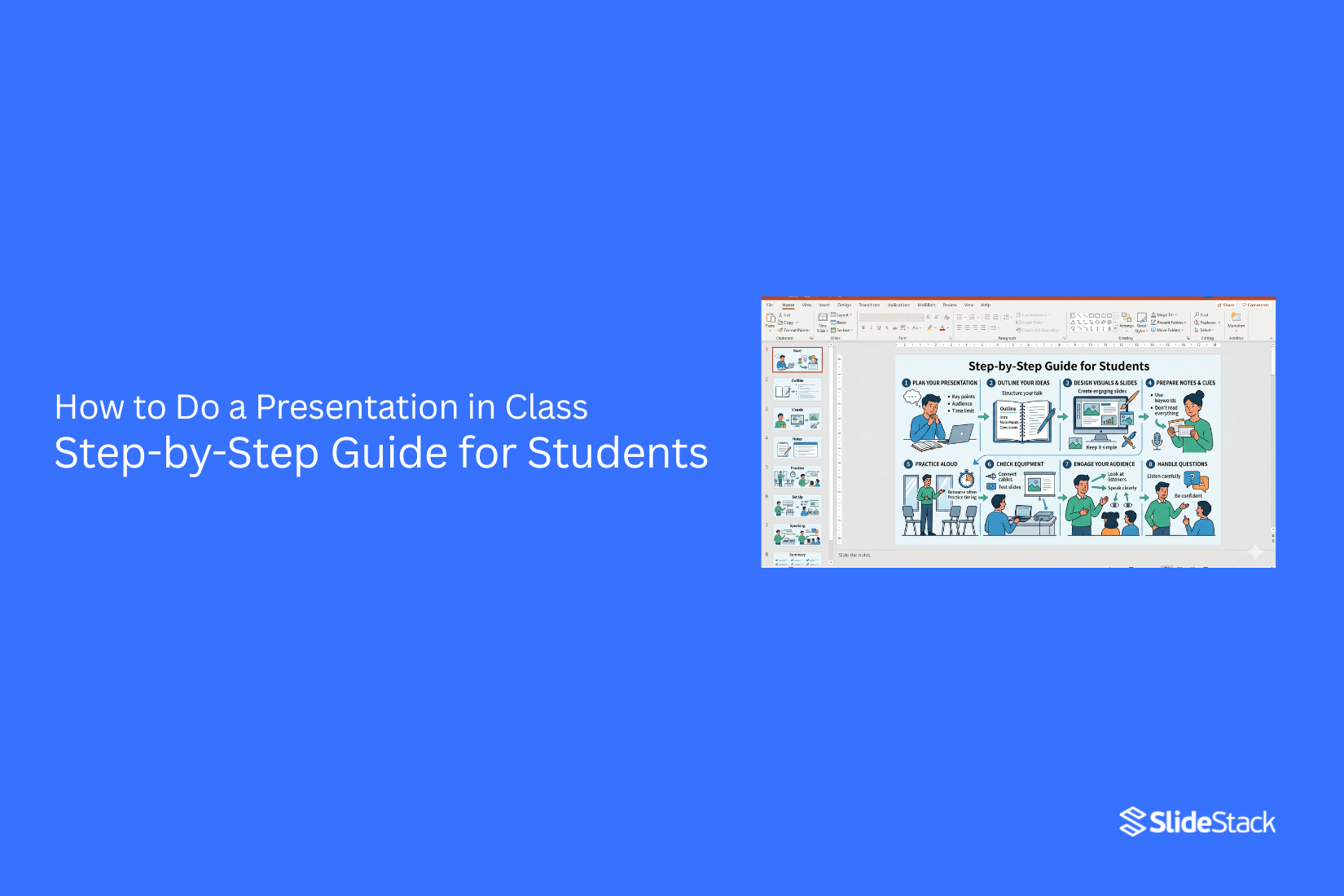
The classroom is one of the few places where position does not protect anyone. A senior presenter and a new student both face questions from the room. The audience reacts based on clarity, not titles. Once the message is unclear, attention drops quickly. This makes classroom presentations different from other settings. The focus is on clear ideas and simple delivery. Slides, speaking, and structure must all work together. The audience watches closely and notices small mistakes. This guide shows each step of a class presentation. It explains how to plan content, build slides, and speak with confidence. It also shows how to keep attention and answer questions in a clear way.
Why Presentation Skills Matter in School and Beyond
Presentation skills help students speak with clarity in front of others. This builds confidence over time. A student learns how to stand, speak, and share ideas in a clear way. In school, these skills support better class participation. Teachers can understand ideas more easily. Class discussions also become more active and focused.
These skills also support performance in assignments that include speaking or group work. Clear delivery can make ideas easier to follow. Outside school, speaking skills matter in interviews and meetings. People often need to explain ideas in a simple and direct way. Strong communication helps others follow the message without confusion. Good presentation habits also support teamwork. Sharing ideas in a clear way helps groups work with fewer mistakes and better results.
The Role of Classroom Presentations in Learning
Classroom presentations go beyond showing that the assigned work is complete. A presentation in class becomes a shared learning moment. The student builds understanding by sorting ideas into clear order. The audience receives a different view of the same topic. Both sides gain learning value from the exchange.
In schools, presentations are used as a form of assessment. They also build skills such as structured thinking, time management, and clear speech. Students practice speaking with confidence on a subject. In business schools, classroom presentations act like boardroom practice. Students present arguments, respond to questions, and explain information to an informed group. These skills match what many recruiters look for in new workers.
Instructors also use presentations as a teaching tool. A clear slide structure helps organize lesson content in a simple flow. A lesson plan can be placed into slides to guide the order of ideas. Visual elements can support understanding of key points. This format helps both teaching and review because the content stays organized and easy to follow.
How to Prepare a Classroom Presentation
Preparation is where most classroom presentations are won or lost. Delivery matters, but it cannot fix weak planning. Strong preparation shapes clarity, flow, and understanding. Three areas matter most. These are research and content selection, narrative structure, and slide design.
Research and Content Selection
Start by reading the assignment rules with care. Focus on topic limits, time limits, required sources, and the expected output. These limits set the shape of your work. Research comes next, but selection matters more than collection. Many students gather too much information. That creates confusion and weak focus. A better approach is to pull out two or three main ideas that carry the message. Everything else should support those ideas or be removed.
Business presentations often work better with clear frameworks. SWOT analysis, market sizing, BCG Matrix, and similar tools help organize thinking. They turn scattered points into structured insight. They also make your reasoning easier to follow.
Strong content also matches the audience level. Classroom audiences need clarity over complexity. Simple explanations work better than heavy detail. The goal is understanding, not volume of information.
Structuring Your Narrative
A classroom presentation is not a script read from slides. It works like a guided story with purpose and direction. Start with a clear opening that sets the focus. The audience should know the topic early. That helps them follow the rest of the presentation with less effort.
A central question helps hold everything together. Each section should move toward answering that question. This keeps the presentation focused and prevents drifting into unrelated points. The order of ideas matters. One idea should lead naturally into the next. A clear flow helps the audience stay engaged and reduces confusion during transitions.
Story elements improve memory. Even data-heavy topics become easier to understand when placed in a simple sequence. A common pattern works well: situation, explanation, outcome. This keeps information structured and easy to follow.
Designing Your Slides
Slides support your speech. They do not replace it. The speaker carries the message. The slides reinforce it. Each slide should focus on one main idea. Too much text on a single slide weakens attention. Short lines keep focus on the speaker instead of the screen. Design choices affect understanding. High contrast improves readability. Clean backgrounds reduce distraction. White space gives content room to breathe and improves clarity.
Visual hierarchy guides the eye. Important points should stand out clearly. Supporting details should stay secondary. This helps the audience know where to look first. Templates help keep design consistent. A clean structure across slides builds stability. SlideStack provides ready-made templates that support academic and business presentations.
Choosing the Right Classroom Presentation Tools
The software used for classroom presentations directly affects how ideas are built, shared, and understood. Most students and educators rely on a small set of tools, mainly Microsoft PowerPoint, Google Slides, and Canva. Each one serves a different purpose depending on workflow, collaboration needs, and presentation style.
Microsoft PowerPoint is often the default choice in academic and professional settings. It works well for structured presentations that need detailed formatting, charts, or data-heavy slides. It also works offline, which makes it reliable in environments with unstable internet access. Users can fine-tune animations, control layouts precisely, and export files in multiple formats for sharing or archiving. This makes it a strong option for formal assignments or presentations that require technical depth.
Google Slides fits better in collaborative classroom settings. It allows multiple users to work on the same presentation at the same time, which supports group projects and peer feedback. In platforms like Google Classroom, sharing becomes simple since files can be linked directly or submitted without extra steps. Teachers often prefer this setup because it removes file compatibility issues and makes submission and review faster. Presentations can also be delivered directly from a browser, which reduces setup time during class.
Canva offers a more visual and template-driven approach. It is often used by students who want strong design results without advanced formatting skills. The drag-and-drop interface makes slide creation simple, while built-in templates help maintain consistent design quality. It also connects easily with Google Classroom through exported PDF or PowerPoint files, or by sharing a direct viewing link. This makes it flexible for both creative and academic use.
Each tool solves a different problem. PowerPoint focuses on control and depth. Google Slides focuses on collaboration and access. Canva focuses on speed and design simplicity. The choice depends on what matters more for the task at hand, whether that is precision, teamwork, or visual clarity.
Using Visual Aids Effectively in Classroom Presentations
Visual aids help people follow your ideas. They also keep attention on your topic. Simple and clear visuals work best in class presentations.
Choosing the Right Visual Elements
Pick visuals that match your topic. Use images that show your main point. Charts can help show numbers in a clear way. Keep colors soft and easy to read. Use only a few words on each slide. Let the image do most of the talking. A strong visual can explain ideas faster than long text. Photos, simple icons, and basic graphs are enough in most cases. Avoid anything that looks confusing or unclear. Each visual should have a clear purpose.
Avoiding Overcrowded Slides
Too much content on one slide makes it hard to read. Keep each slide focused on one idea. Space between elements helps the eyes move easily. Remove extra text that does not support the main point. Break long ideas into separate slides instead of packing them together. Clean slides help the audience stay focused on what you are saying. A simple layout also makes your presentation easier to follow from start to finish.
Presentation Techniques for the Classroom
Knowing the material is not enough. Delivery decides how well the message lands. A strong presentation helps the audience follow ideas with ease. A weak one makes even good content harder to understand. Clear technique improves every part of speaking in front of a class.
Structure Your Delivery Around Key Moments
Professional presenters do not treat a presentation as one long stretch of speech. They break it into clear moments. Each moment has a purpose. One point leads into the next with intention.
Strong delivery places the most important ideas at clear points in the talk. These points are given space so they stand out. A short pause after a key idea helps the audience take it in. Rushing through slides reduces impact and makes ideas blend together.
Practice helps control these moments. Rehearsing builds timing. It also helps you know where to slow down and where to shift to the next idea. Each section should feel clear and separate, not mixed together.
Use Your Voice and Body Intentionally
Voice control shapes how the message is received. A steady voice keeps attention. Changes in pace and tone highlight important parts. Slow speech helps with complex ideas. A slightly quicker pace works for simple explanations.
Body language supports the message. Standing upright shows control. Eye contact keeps the audience engaged. Small hand movements can support key points. Too much movement creates distraction, so every gesture should have a purpose.
Slides should not become a script. Reading from them weakens delivery. The audience already sees the text. The speaker’s role is to explain, expand, and guide attention beyond what is written.
Manage the Q&A With Confidence
The Q&A section shows how well the topic is understood. It is not separate from the presentation. It is part of it. Strong handling of questions builds trust in the speaker.
Good preparation includes thinking about difficult questions in advance. This builds readiness. During the session, each question should be heard fully before answering. A short pause before responding helps organize thoughts.
Answers should stay clear and focused. Long explanations can lose direction. If a question is unclear, restating it in simple words helps keep control of the response. Calm delivery matters more than having every answer immediately.
How to Grab Your Audience’s Attention in Classroom Presentations
Audience attention in a classroom is limited. It shifts quickly. It drops even faster when the content feels predictable or disconnected. Many presenters assume attention is automatic once they start speaking. It is not. It depends on how the session is structured from the first moment.
Strong classroom presentations treat attention like a resource that must be managed. Every section either holds it or loses it. The difference often comes down to how the presentation begins and how often the audience is pulled into active participation.
Open With Something That Earns the Room
The first moments of a presentation decide the direction of audience focus. A common mistake is starting with a name, topic title, or outline. That approach delays meaning and gives attention time to drift.
A stronger approach begins with immediate relevance. A short question works well. A surprising statement also works. A brief real situation can also pull focus quickly. The goal is to create instant mental engagement without extra setup.
Once attention is secured, the structure matters. A clear path should follow the opening idea. The audience should sense that each part leads somewhere useful. This prevents early disengagement after the hook.
Attention also depends on pacing. Long explanations at the start reduce energy in the room. Short, direct lines keep mental effort low and focus high. The opening should feel active, not static.
Use Polls and Surveys to Create Participation
Attention changes when the audience is involved. Passive listening leads to drifting focus. Active input forces mental presence. Polls and surveys create this shift. They require a response, even if it is simple. That response keeps the audience mentally connected to the topic. A quick question at the start of a section can reset attention.
It draws people back into the content. It also reveals what the group already understands, which helps adjust the next steps of the presentation. Digital tools like live polling platforms or simple classroom forms can support this. A question can be asked, responses collected, and results shown immediately. The key is speed.
Long delays between question and feedback reduce impact. Participation also works during explanation sections. A short check-in question after a key idea keeps attention from fading. It breaks long stretches of listening into smaller, active parts. A presentation that includes repeated interaction points maintains a stronger focus across time. The audience stays mentally engaged because they are part of the process, not just observers.
Overcoming Presentation Anxiety in the Classroom
Many students feel stress before speaking in front of a class. Hands shake. Voice gets tight. This reaction is common. It happens before speaking to a group. The goal is to stay steady and focused while speaking.
Practical Ways to Reduce Nervousness
Start with slow breathing. Inhale through the nose. Exhale slowly through the mouth. Repeat a few times before speaking. Stand still before starting. Plant both feet on the floor. Keep shoulders relaxed. This helps the body feel steady. Start your first line slowly. A rushed start increases stress. A calm start sets the tone for the rest of the talk.
Break your talk into small parts. Focus on one point at a time. This keeps the mind from feeling overloaded. Speak to friendly faces in the room. Shift eye contact between a few people. This makes the room feel less tense.
Building Confidence Through Preparation
Know your topic well. Read it out loud several times. This helps the words feel familiar. Practice in front of a mirror. Notice posture and voice. Small fixes here help during the real talk. Rehearse in a quiet space. Use the same notes you will use in class. This builds comfort with the material. Write short cue cards. Keep one idea per line. This helps avoid getting lost while speaking. Go through the presentation more than once. Each run makes the flow smoother. The fear of forgetting details starts to drop.
Delivering Your Classroom Presentation
Preparation sets the base. Delivery is the live moment where everything shows. A clear system keeps performance steady and reduces mistakes during speaking. Practice out loud instead of only thinking through the slides. Speaking the words trains voice control and timing. It also reveals weak spots in flow and memory. A full run from start to finish builds steady pacing.
Short practice stops break the rhythm and slow improvement. Time matters during every run. A stopwatch helps track speaking length. Going over time signals too much content. Finishing too early signals missing detail. Adjust content based on repeated results until timing stays stable. Equipment needs attention before speaking begins. Open the file and confirm every slide appears correctly. Check that the text is readable from a distance. Make sure images and charts stay aligned. Small display issues can affect clarity during the talk.
On stage, body control shapes audience focus. Standing still keeps attention on the message. Small shifts can mark new sections. Constant movement pulls focus away from content. A steady posture supports clearer delivery. Voice pace also controls understanding. A steady rhythm helps listeners follow ideas. Slower speech supports key points.
Faster speech fits simple lines. Sudden speed changes reduce clarity. Mistakes can happen during speaking. A short pause helps reset focus. Skipping a small error keeps the flow moving. Returning later to a missed idea keeps structure intact without breaking confidence.
Classroom Presentations for Business Schools
Business school presentations are evaluated differently from standard academic work. The focus is not only on knowledge. The focus also includes structure, reasoning, and how well ideas hold up under questioning. MBA programs, executive education, and undergraduate business courses all apply this type of evaluation logic.
The common structure in these presentations follows a clear business flow. It often begins with a short situation overview. That is followed by a defined problem or opportunity. Next comes analysis using a clear framework. After that, a recommendation is presented with evidence. The final part often includes implementation steps or a review of risks. This format reflects how corporate teams and consulting groups structure decision documents.
Data use is a key area of review. A number on a slide is never treated as final on its own. If a slide shows a growth rate, it must be supported with context such as source, time period, and method of calculation. Without that, the argument under review weakens. Instructors often test this directly through questions during presentation time.
The same level of scrutiny applies to recommendations. A suggestion without analysis does not hold weight in a business school setting. Each recommendation needs a clear link back to data or reasoning shown earlier in the presentation. This connection is what separates descriptive work from analytical work.
Preparation also plays a central role in performance. Practicing with peers helps identify gaps in logic that are not always visible during slide creation. Feedback should focus on reasoning clarity rather than only speaking style. A presentation rubric, when provided, works as a checklist. It helps ensure that structure, analysis, and delivery all meet the expected standard before the final presentation.
Classroom Presentations for Elementary and K-12 Students
For younger students, classroom presentations are one of the first structured ways they share what they know in front of others. At the elementary level, the main goal is not performance. The main goal is clear communication. Students learn how to turn simple ideas into spoken explanations that others can follow.
At this stage, structure matters more than detail. A presentation works best when each slide carries one idea. Short sentences help students stay on track. Teachers often guide students to speak in their own words rather than reading directly from the screen. This builds confidence step by step and supports early communication habits.
Visual support plays a strong role in early learning. Drawings, pictures, and simple diagrams help students explain ideas they may not yet fully express in words. A science topic like plants or weather becomes easier to present when students can point to labeled visuals or show a small classroom demonstration. These supports reduce pressure and increase participation.
As students move into middle school, presentations begin to follow a clearer structure. A basic opening, a middle section, and a closing help organize thoughts. Students also start learning how to connect ideas instead of listing them. Short practice sessions in class help reduce reliance on reading scripts and support natural speaking flow.
Group presentations add another layer of learning. Roles become important. One student can introduce the topic. Another can explain key points. A final speaker can close the presentation. This structure keeps involvement balanced and helps students understand shared responsibility.
By high school, expectations shift toward clearer reasoning and more detailed explanations. Students are encouraged to support ideas with examples from class content. Timing also becomes part of the skill set. Speaking within a set limit teaches focus and discipline in communication.
For teachers, presentation design also matters. Slides for younger learners work best with large fonts, limited text, and strong visuals. Bright, simple layouts help maintain attention. Tools like Google Slides, Nearpod, and Pear Deck support interactive elements such as quizzes, drawing responses, and student-paced tasks that keep learners engaged while reinforcing lesson goals.
How to Deliver Your Presentation in Class
Start by standing straight at the front of the room. Keep your feet steady. Hold your notes in a simple way. Take a slow breath before you speak. Begin with a clear opening line. Speak at a steady pace. Do not rush through the first few sentences. This sets the tone for the rest of your talk.
Look at your classmates while speaking. Move your eyes across the room. This helps you stay connected with the audience. Avoid staring at one spot or reading every word from your slides. Keep your voice clear and strong. Speak loud enough for the back of the room to hear. Pause between key points. Short pauses help your message land better.
Use your slides as support. Do not read them word for word. Point to key parts only. Keep your focus on explaining, not copying text. Hold your notes lightly. Glance at them only for short reminders. Return your attention to the class right away.
Move in a calm way. Small hand gestures can help explain ideas. Avoid nervous movements like shifting side to side or tapping. Stay steady if a mistake happens. Pause for a moment. Pick up your next idea and continue. Near the end, slow your pace slightly. Finish with a clear final line. Keep it simple and direct.
Common Presentation Mistakes Students Should Avoid
Many students lose marks during class presentations because of small but important mistakes. These mistakes make the message less clear and reduce confidence in front of the class. One common mistake is reading directly from slides. This makes the presentation sound flat. The audience stops paying attention.
Another issue is speaking too fast. The message becomes hard to follow. Important points get lost. Some students overload their slides with too much text. This creates confusion. Simple slides help the audience stay focused. Poor eye contact is also a problem. Looking only at the screen or the floor reduces connection with the class. Speaking becomes less engaging.
Lack of practice causes many problems, too. Unprepared delivery leads to pauses, mistakes, and unclear explanations. These mistakes are easy to fix with focus and preparation. Clear slides, steady speaking, and simple delivery improve classroom performance.
FAQs
What is a classroom presentation?
A classroom presentation is a structured way of sharing information in front of a class. It can be used for teaching, learning, or grading. It often includes slides or other visual tools to support what is being said.
How long should a classroom presentation be?
Most classroom presentations last between 5 and 20 minutes. Elementary level presentations are usually 3 to 5 minutes. Business school presentations often run 10 to 15 minutes with extra time for questions. The time limit should always match the teacher’s instructions.
How do I start a presentation in class?
A strong start uses a short question, a simple fact, or a short story. The opening should be memorized and delivered without reading. Slides should show only key points that support speaking.
What is the best way to use slides in a presentation?
Slides should support the speaker, not replace them. Each slide should have simple text or a clear image. Full sentences should be avoided. Slides work best as reminders for key ideas.
How do I present in Google Classroom?
Open the presentation file in Google Slides. Use presentation mode for full screen. In online classes, share your screen through Google Meet. This allows others to see your slides while you speak.
How do I upload a PowerPoint to Google Classroom?
Open the assignment in Google Classroom. Select Add, then choose File. Upload the PowerPoint from your device or Google Drive. The file will appear for viewing in the class.
How do I use Canva for classroom presentations?
Canva presentations can be downloaded as a PowerPoint or PDF file. These files can be uploaded to Google Classroom. Canva also provides a share link that can be pasted into an assignment.
How do I give students editable Google Slides?
Attach the Google Slides file in Google Classroom. Select the option that makes a copy for each student. Each student then receives their own version to edit. A view-only option is also available.
How do I cite a classroom presentation?
APA style uses author, year, title, format, platform, and link. MLA style uses instructor name, title, course, school, date, and platform. The required format depends on the class rules.
What makes a good presentation template?
A good template is easy to read. It uses large text and clear contrast. It keeps layouts consistent across slides. It avoids clutter and too many elements on one slide.
How can I reduce anxiety during a presentation?
Practice helps reduce nervousness. Rehearsing builds confidence and timing control. Slow breathing before speaking helps steady the body. Arriving early also helps the speaker feel more settled.
How do I keep an audience engaged?
Start with a question or a surprising fact. Add short interaction moments during the talk. Simple activities like a quick vote or question help keep attention. Real examples also help keep interest steady.
What is the role of polls and surveys in presentations?
Polls and surveys collect audience opinions during the presentation. They help measure understanding. Tools like Google Forms or Poll Everywhere are often used. They also make the session more interactive.
How are business school presentations structured?
Business school presentations follow a clear order. They start with a situation overview. Then they move to a problem statement, analysis, recommendation, and risk points. The question section is part of the full evaluation.
How do teaching presentations work?
Teaching presentations focus on learning goals. Each section matches a lesson stage like introduction, practice, and review. Visuals help explain ideas. Short activities help check understanding.
How are presentations different across education levels?
Younger students focus on basic speaking skills. University students focus on structured arguments. Business school students focus on decision making and problem solving. Each level changes in depth and expectation.
What are common mistakes in classroom presentations?
Many students read directly from slides. Some use too much text. Others do not practice enough. Timing is also a common issue.
What is the full presentation process?
The process starts with planning the topic and goal. Then slides are designed. Practice comes next to improve delivery. The final step is presenting and reviewing feedback.
Final Notes
A classroom presentation is one of the most practical communication formats in school and work settings. It appears in business seminars, university talks, and school lessons. Strong presentations follow simple fundamentals. The speaker understands the audience. The message has a clear structure. Slides support spoken words instead of replacing them. The speaker keeps the audience involved through clear delivery and attention to flow.
The skills built through classroom presentations carry into professional life. Research work improves how ideas are gathered and used. Structured argument builds clear thinking. Slide design builds visual communication skills. Speaking in front of others builds adaptability during delivery. These skills support many work settings where clear communication matters. Each presentation becomes practice for higher level communication tasks in future roles.


You may also be interested in ...

How To Create An Eye-Catching Portfolio
If you’re looking to create an eye-catching portfolio, this post will come in handy. In this article, you can find the easies...
23 Jun, 2024

How To Easily Create An Infographic
Infographics are the perfect way to make a presentation that will impact an audience, but their design and composition might...
08 Jun, 2024

PowerPoint Template Tips & Tricks You Ne...
PowerPoint seems to be an unknown world for many people, especially those who have been assigned to create a presentation out...
08 Jun, 2024