How to Create a Succession Planning Presentation
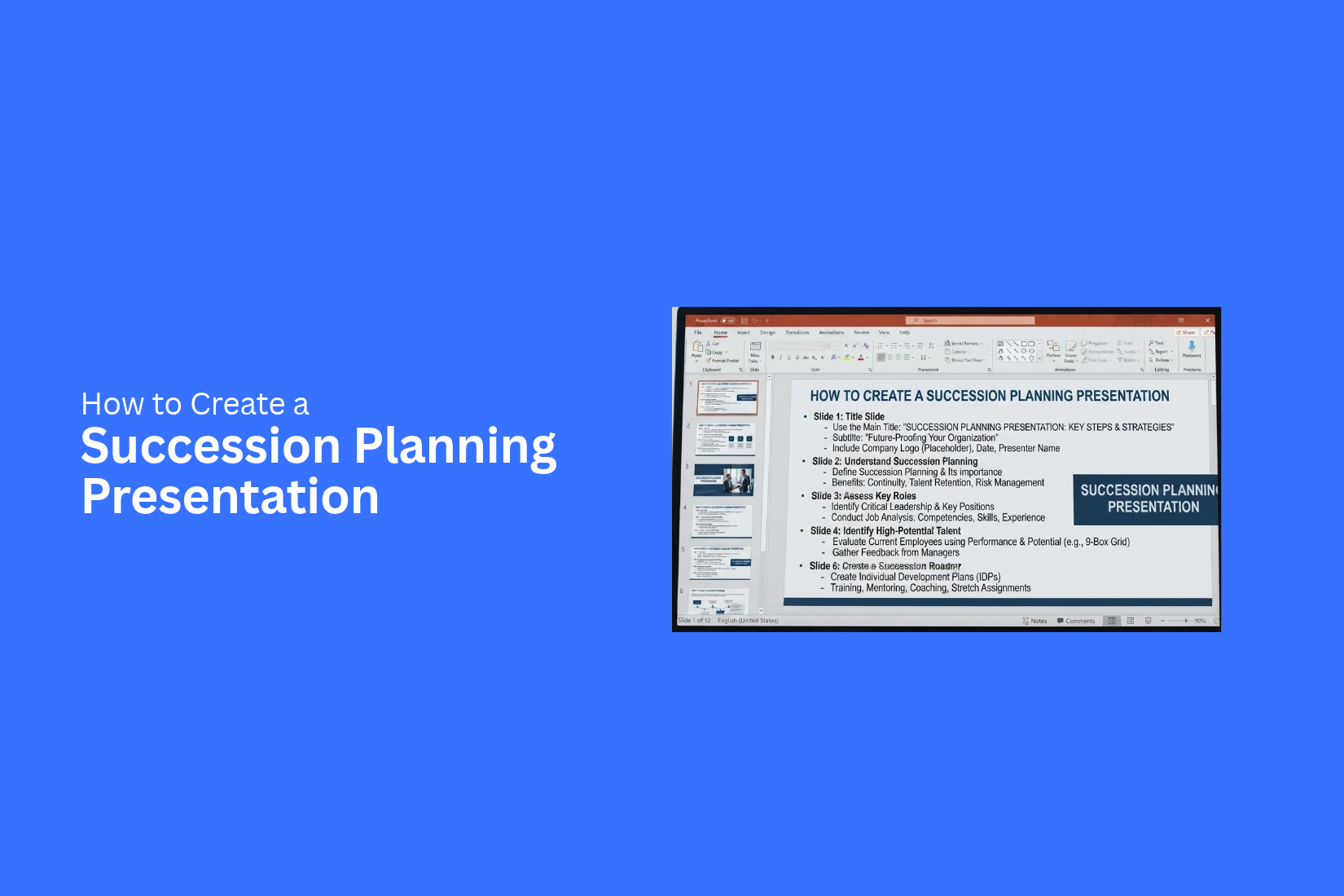
A company needs the right people to fill key roles as leaders retire, leave, or move to new positions. Without a clear succession plan, it can be hard to prepare future leaders and keep business operations on track.
A weak presentation can also leave managers unsure about employee readiness, skill gaps, and leadership needs. Missing details may lead to poor decisions and delays in leadership changes.
A well-organized succession planning presentation can help solve these problems. This article explains how to create one, from setting goals and reviewing talent to building a timeline and choosing the right visuals. You'll also learn which slides to include, best practices to follow, and common mistakes to avoid.
What Is Succession Planning?
Succession planning is the process of preparing people to take over key roles in an organization. It helps a business stay on track during staff changes. These changes may happen due to retirement, promotion, resignation, or other reasons.
The process starts by finding roles that are vital to daily work. Then, the company looks for employees who have the skills and experience to fill those roles. They may need training, coaching, or more work experience before taking on new duties.
A succession planning presentation helps explain this process to managers and team members. It can show key roles, possible replacements, skill gaps, and training plans. This gives everyone a clear view of how the company plans for future staff changes.
Key Elements of a Succession Planning Presentation
A succession planning presentation needs to cover the main parts of a company's leadership plan. Each part should explain how the company will prepare future leaders and manage key role changes. Keep the slides clear and focused. Include these key elements:
1. Purpose of Succession Planning: Explain why the company needs a succession plan. Show how it can help maintain business operations during leadership changes.
2. Key Roles and Positions: List the roles that need a succession plan. Focus on senior leaders, department heads, and other positions that have a major impact on the company.
3. Skills and Qualifications: Describe the skills, experience, and knowledge needed for each key role. This helps the company set clear standards for future leaders.
4. Potential Successors: Present a list of employees who may be ready to take on key roles. Include their current positions, skills, and areas for growth.
5. Employee Development Plan: Explain how the company will prepare selected employees for future roles. Include training, mentoring, coaching, and work experience.
6. Succession Timeline: Show the expected timeline for each leadership change. You can use a timeline chart to present short-term and long-term plans.
7. Risk Assessment: Identify possible risks linked to leadership changes. Explain how the company plans to handle gaps in key positions.
8. Review and Updates: Explain how often the company will review the plan. Show how it will track employee progress and update successor lists as business needs change.
These elements give your audience a clear view of the company's leadership plan. They also help decision-makers understand who may take on key roles and what steps are needed to prepare them.
How to Create a Succession Planning Presentation
A good succession planning presentation needs a clear structure. It should show how the organization plans to fill key roles in the future. It should also explain how current employees can prepare for leadership positions. Follow these steps to build a presentation that is easy to understand and review.
Define the Purpose and Audience
Start by setting the purpose of your presentation. Decide what you want to explain. You may want to present a leadership transition plan, prepare for future vacancies, or show how the company develops new leaders.
Next, identify your audience. The presentation may be for senior managers, HR teams, department heads, or company executives. Each group may need different details. Keep the content focused on their needs.
Identify Critical Roles in the Organization
List the key roles that need a succession plan. Focus on positions that have a major impact on daily work and business goals. These may include senior executives, department heads, team leaders, and other key employees.
Explain why each role needs a backup plan. You can use a table to show the job title, department, current role holder, and level of priority. This gives readers a clear view of the roles that need attention.
Assess Current Employees and Future Leaders
Review the skills, experience, and work history of current employees. Look for people who may be ready to take on more responsibility. Also, check their interest in future leadership roles.
Create a list of potential successors for each key position. Add details about their current roles, strengths, and readiness for promotion. This helps managers compare possible candidates and plan their next steps.
Highlight Skills Gaps and Development Needs
Potential leaders may not have all the skills needed for a new role. Your presentation should show these gaps. Compare each employee's current skills with the needs of the target position.
You can use a skills matrix to show the results. List the required skills and rate each employee's current ability. Add notes about areas that need more training or work experience.
This section helps managers set clear development goals for each candidate.
Present Leadership Development Strategies
Show how the organization will prepare future leaders. Add practical steps that match each employee's needs. These may include:
• Leadership Training: Help employees build management and decision-making skills.
• Mentoring: Pair future leaders with experienced managers.
• Job Rotation: Give employees experience in different teams or departments.
• Special Projects: Assign tasks that help employees take on more responsibility.
• Performance Reviews: Track progress and identify areas that need more work.
Explain how each activity supports the employee's growth. Add the person responsible for each activity and the expected results.
Create a Succession Timeline
Add a timeline to show when each step will take place. Break the plan into clear stages. For example, you can show employee assessments, training sessions, progress reviews, and leadership transitions.
Use a simple timeline chart to display key dates and milestones. Add the name of each role or employee next to the related activity. This helps managers track progress and see which tasks need attention.
Add Charts, Diagrams, and Visuals
Use visuals to make your presentation easier to follow. Large blocks of text can make key details harder to read. Charts and diagrams help present data in a clear format.
Here are some visuals you can add:
• Organization Chart: Show the current reporting structure and key positions.
• Succession Matrix: Match key roles with potential successors.
• Skills Matrix: Compare employee skills with job requirements.
• Timeline Chart: Show training stages and planned role changes.
Progress Chart: Track employee development and readiness.
Keep each visual simple. Use clear labels and consistent colors. Make sure every chart supports the point you want to explain.
Review and Finalize Your Slides
Review every slide before sharing the presentation. Check the names, job titles, dates, and employee details. Make sure the information matches the latest succession plan. Remove repeated points and long blocks of text. Check the charts and diagrams for errors. Use the same font style, colors, and layout across all slides. Also, keep employee details private. Share the presentation only with people who need access to it. A final review helps ensure that your succession planning presentation is clear, accurate, and ready for the audience.
Essential Slides to Include in a Succession Planning Presentation
A succession planning presentation should follow a clear order. Each slide should explain one part of the plan. Start with the company structure and key roles. Then show employee skills, future leaders, and development plans. Finish with risks and next steps. This structure helps leaders review the plan and understand what needs to happen next.
Title Slide
Start with a simple title slide. Add the presentation title, company name, date, and presenter's name. You can use a title such as "Succession Planning Strategy" or "Leadership Succession Plan." Add your company logo to make the slide easy to identify. Keep the text short and use a clean layout.
Executive Summary
The executive summary gives readers a quick view of the succession plan. Highlight the main goals, key roles, possible successors, and expected results. Use short bullet points to share the most useful details. Avoid adding too much text. Leaders should be able to understand the main purpose of the plan without reading every slide.
Current Organizational Structure
Show the company's current structure with an organizational chart. Include departments, teams, leadership positions, and reporting lines. Add the names of employees who hold key roles. This gives leaders a clear view of the current workforce. It also helps them identify positions that may need a successor.
Critical Roles and Responsibilities
List the positions that have a major impact on company operations. Add the main duties and responsibilities for each role. You can also mention the skills, experience, and knowledge needed to perform each job. This helps leaders decide which positions need a succession plan first.
Talent Assessment Matrix
A talent assessment matrix helps leaders review employees based on their skills, performance, and growth potential. Use a table or grid to compare each candidate. Include their current strengths, areas for improvement, and readiness for future roles. You can use simple ratings to make the results easier to review. This slide helps identify employees who may be suitable for key positions.
Leadership Development Plan
After identifying possible successors, show how the company will prepare them for future roles. List the training programs, mentoring sessions, and work experience they may need. Add a development goal for each employee. You can also include target dates to track progress. This gives leaders a clear view of how the company will build future leadership skills.
Succession Readiness Chart
A succession readiness chart shows how prepared each candidate is to take on a key role. Group candidates by their readiness level. For example, some employees may be ready now, while others may need one to three years of training. Use colors, labels, or a simple chart to show these levels. This helps leaders compare candidates and review possible replacements for each position.
Transition Timeline
Use a timeline to show the main stages of the succession process. Include dates for talent reviews, training, progress checks, and leadership changes. A horizontal timeline or Gantt chart can help present these details. Add clear milestones for each stage. This makes it easier for leaders to track the plan and see what needs to happen next.
Risk Assessment
A succession plan should also cover possible risks. List issues that may affect the process. These may include a lack of qualified candidates, sudden employee departures, or delays in leadership training. Add the possible impact of each risk. You can also include a response plan to show how the company will handle these issues.
Action Plan and Next Steps
End the presentation with a list of clear actions. Include the tasks that need to be completed, the people responsible, and the target dates. You can also add follow-up meetings and progress reviews. Use a simple table to keep the details organized. This slide helps leaders understand their duties and move the succession plan forward.
Best Practices for a Succession Planning Presentation
A good succession planning presentation should be clear, focused, and easy to follow. It should help leaders review employee data, set goals, and plan for future roles. Each slide needs a clear purpose. Keep the content simple and share only the details that support your plan.
Keep Information Clear and Organized
Organize your slides in a logical order. Start with the purpose of the plan. Then present key roles, employee details, skill gaps, and future needs. Give each topic its own slide. Use short headings and simple text. Avoid adding too much information to one slide.
A clear layout helps leaders find key details. It also makes the plan easier to review during meetings.
Use Visuals to Present Employee Data
Employee data can be hard to review in long blocks of text. Use charts, tables, and diagrams to make the details easier to read. A skills matrix can show employee strengths and areas for growth. A table can list key roles and their possible successors. A simple chart can show employee readiness levels.
Keep each visual easy to read. Add clear labels and use colors with care. Make sure the data supports the point of each slide.
Focus on Long-Term Business Goals
Succession planning should support the company's future needs. Your slides should show how future leaders can help the business meet its goals. Link key roles to long-term plans. Explain which skills the company needs to build. Show how employee growth plans can support future leadership needs.
This helps leaders see the value of preparing employees for future roles. It also keeps the plan connected to business needs.
Protect Confidential Employee Information
Succession planning often includes private employee details. Your presentation may contain performance records, skill gaps, career goals, and readiness levels. Share this data only with people who need access to it.
Use secure files and limit access to approved team members. Avoid sharing sensitive details in public meetings. Check each slide before sending the file. Remove any private data that is not needed for the discussion.
Highlight Measurable Goals and Progress
A succession plan needs clear goals. Add measurable targets to show what the company wants to achieve. These may include training completion, skill growth, leadership readiness, or the number of roles with prepared successors.
Use charts or progress tables to track results. Show the current status and the next steps. Review these targets at set times. This helps leaders track employee growth and see where more support is needed.
Common Mistakes to Avoid in Succession Planning Presentations
A succession planning presentation must be clear and easy to follow. Some mistakes can make the plan hard to understand. They can also leave key details out. Here are some common mistakes to avoid.
- Focusing on only one employee: A succession plan should not depend on a single person. Include other potential candidates for key roles. This gives the company more options.
- Ignoring skill gaps: A future leader may not have all the skills needed for a new role. Show the skills they need to build. Add training steps to help them prepare.
- Leaving out a clear timeline: A plan needs a timeline. Show when each employee may be ready to take on a new role. This helps teams track progress.
- Using too much text: Long paragraphs can make slides hard to read. Use short points, charts, and simple visuals. Keep each slide focused on one main idea.
- Not assigning clear roles: Each person involved in the plan needs a clear role. Show who will review progress, provide training, and make key decisions.
- Ignoring plan updates: Business needs and employee goals can change over time. Review the plan on a regular basis. Update roles, timelines, and candidate details as needed.
Avoiding these mistakes helps you build a clear succession planning presentation. It also helps your audience understand the plan and the steps needed to prepare future leaders.
Final Notes
A succession planning presentation helps leaders prepare for future changes in key roles. It gives them a clear view of the company structure, employee skills, possible successors, and development needs.
Include the right slides to explain each part of the plan. Use charts, tables, and timelines to present employee data. Set clear goals and assign tasks to the right people. Keep private employee details secure.
Review the plan on a regular basis. Update candidate details, training goals, and timelines as business needs change. A clear plan helps the company prepare future leaders and maintain smooth operations.
Frequently Asked Questions
1. What is a succession planning presentation?
A succession planning presentation explains how a company prepares employees to take on key roles in the future. It covers current leadership, possible successors, employee skills, training plans, and future goals.
2. What should a succession planning presentation include?
Include these key slides:
• Title slide
• Executive summary
• Current organizational structure
• Critical roles and responsibilities
• Talent assessment matrix
• Leadership development plan
• Succession readiness chart
• Transition timeline
• Risk assessment
• Action plan and next steps
3. Who should be involved in succession planning?
Company leaders, HR teams, department managers, and other key decision-makers should take part. They can review employee skills, identify possible successors, and set development goals.
4. How do you identify potential successors?
Review employee performance, skills, experience, and growth potential. Use a talent assessment matrix to compare candidates. Also, review their readiness for future roles.
5. What is a succession readiness chart?
A succession readiness chart shows how prepared employees are for future roles. It can group candidates by readiness level, such as ready now or ready in one to three years.
6. How often should a succession plan be updated?
Review the plan on a regular basis. Update employee details, key roles, training goals, and timelines as business needs change.
7. How can visuals improve a succession planning presentation?
Charts, tables, and organizational diagrams make employee data easier to review. They help leaders compare candidates, track training progress, and understand the company's future leadership needs.
8. What are the common mistakes in succession planning?
Common mistakes include relying on one candidate, ignoring skill gaps, leaving out timelines, adding too much text, failing to assign clear duties, and not updating the plan. Avoiding these issues helps keep the presentation clear and useful.


You may also be interested in ...

Tips To Create A Great Infographic
Infographics Have been around for a while, but not many people know about them or are their preferred presentation choice. If...
08 Jun, 2024

3 Steps To Create The Best Presentation...
Presentations are something wonderful when well done, you can captivate an audience or be super interested in what another pe...
23 Jun, 2024

3 Tips For Your Next Presentation You MU...
PowerPoint presentations are perfect for explaining a topic and communicating your ideas with a visual aid. But most people s...
08 Jun, 2024