How to Earn Money Creating PowerPoint Presentations
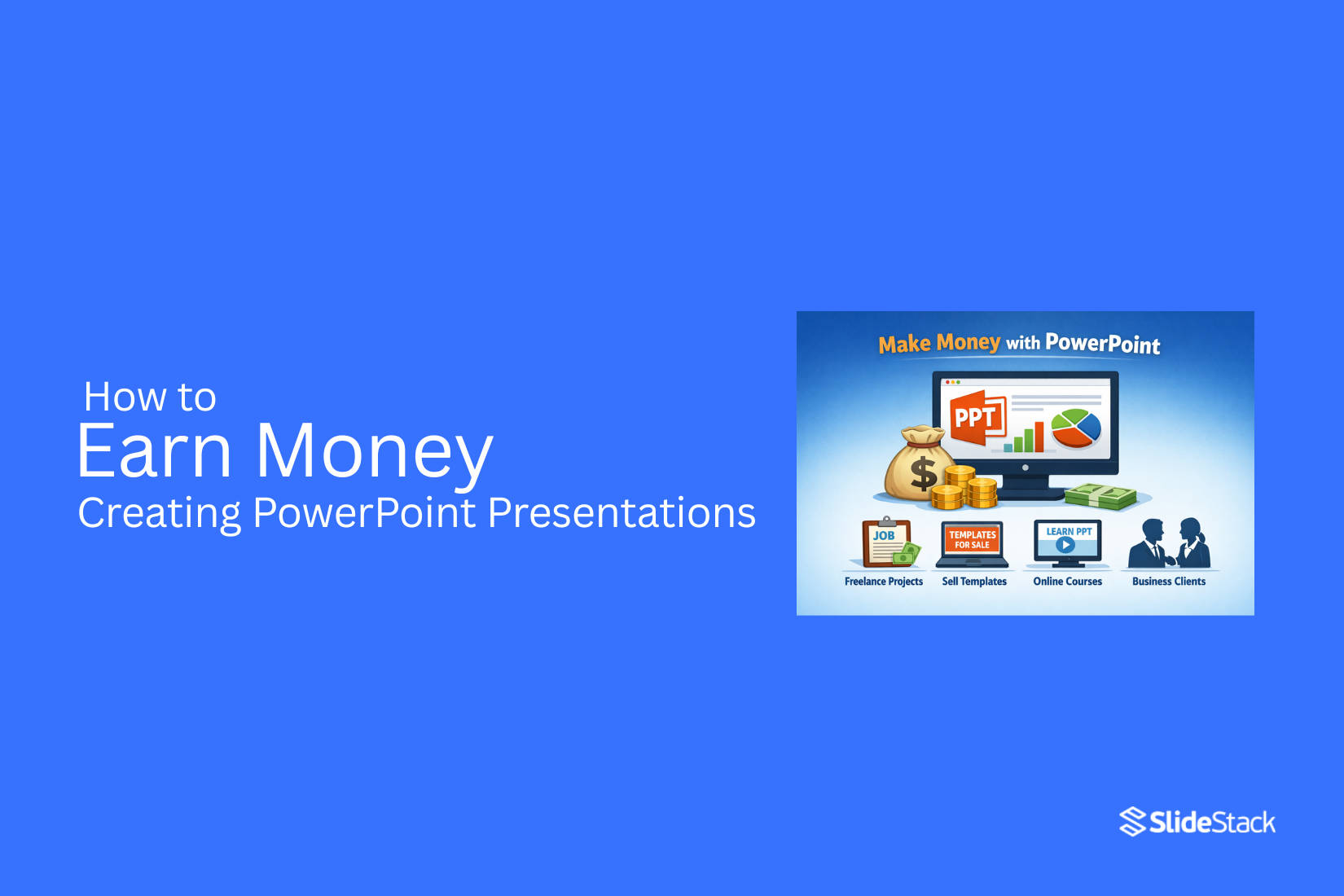
Many people use PowerPoint only for school or office reports. But the same skill can turn into a real income source. Companies, freelancers, and content creators all need clean and clear presentations for their work. This opens a steady demand for simple design skills that anyone can learn. You do not need advanced software knowledge to start. Basic layout sense and practice are enough to begin. So how does someone actually turn slides into money? The answer lies in a few clear methods that range from freelance jobs to selling templates online and direct client work that pays for each project.
Why PowerPoint Design Is in High Demand
Businesses use slides in many daily tasks. They use them for meetings, sales pitches, training, and reports. A clear slide deck helps people understand ideas faster. Many teams do not have time to design slides well. They focus on content but struggle with layout and visuals. This gap creates steady demand for skilled designers.
Startups also need strong presentations to attract investors. A clean and clear deck can help them explain their ideas better. This often affects funding decisions. Teachers, coaches, and freelancers also use slides for online content. They want slides that look clean and easy to follow. This adds more demand across different fields.
Good slide design is not just about looks. It helps structure information in a simple way. That makes communication faster and clearer in many industries.
Essential Skills Needed to Start Earning
Making money with PowerPoint starts with a few core skills. These skills help you build slides that people actually want to pay for. You need to know how to structure information. A good presentation has a clear flow. One idea leads to the next without confusion. This makes the message easy to follow.
Design basics also matter. Clean layouts, balanced spacing, and readable text make a big difference. You do not need complex graphics. Simple choices often work best. You also need strong attention to detail. Small mistakes can affect trust. Fonts, alignment, and spacing should stay consistent across slides.
Tools You Need to Get Started
A computer is the first tool. A laptop or desktop works well. It should run smoothly and open design files without delay. Microsoft PowerPoint is the main software. This is where you build slides. You can add text, shapes, images, and simple animations.
A good internet connection helps with downloading files and uploading your work to clients or platforms. A mouse makes design work easier. It helps you move objects with better control than a trackpad.
Stock images can be useful. These are ready-made pictures you can place into slides. They help make designs look clean and clear. Template files save time. They give you a starting layout so you do not build every slide from zero. A simple folder system on your computer keeps files organized. It helps you find projects quickly.
Story thinking is another key skill. A presentation is not just slides. It is a message with a purpose. Each slide should support that message. Speed with tools is helpful too. Knowing how to use PowerPoint features like templates, shapes, and slide layouts saves time and improves workflow. These skills build a strong base for earning through presentation work.
Ways to Make Money with PowerPoint Design
People need slides for many reasons. Businesses use them for pitches. Teachers use them for lessons. Coaches use them for training. This creates steady demand for slide design work. One way to earn is by offering freelance services. Clients may ask for sales decks, reports, or training slides. Each project pays based on size and detail. Simple decks take less time. Complex decks take more effort and bring higher pay.
Another path is selling templates. A single well-made template can be used many times by different buyers. This gives repeat income without repeating the same work. Templates for business pitches, marketing, and education often sell well. Some designers also work with agencies. Agencies handle many clients at once. They need designers who can follow brand style and deliver on time. This can lead to steady work each month.
Teaching is another option. Some people create courses or guides about slide design. Others offer coaching sessions. Students pay to learn skills that help them create better presentations. There are also online marketplaces. Designers upload their work and earn from downloads. Each sale adds small income, which builds over time. PowerPoint design is not limited to one path. Different methods can be combined. That gives more chances to earn from the same skill set.
The answers to questions you might have
People often ask the same things about making money with PowerPoint work. Here are clear answers in simple form.
Freelancing Platforms
Many designers start on freelancing sites. These sites connect clients with workers. You create a profile. You show your past work. Clients send job requests. Some ask for full presentations. Others ask for slide fixes or design help. Small jobs help build trust. Good reviews bring more work over time.
Selling Presentation Templates
Some designers make templates and sell them online. A template is a ready-made slide design. Buyers edit it for their own use. You can build packs for business, school, or marketing use. Each pack can include many slide styles. Once uploaded, the same file can sell many times. This method can bring steady income without direct client chats.
Working with Agencies
Design agencies often need extra help. They handle many client projects at once. They hire designers for short or long tasks. The work can include slide design, formatting, and visual cleanup. Deadlines are common. Clear communication matters. Agencies can bring regular work if your quality stays strong.
Direct Client Work
Some designers work with clients without middle platforms. Clients can come from social media, referrals, or personal contacts. The work often pays better since there is no platform fee. Clients may ask for business decks, sales slides, or pitch presentations. Strong results often lead to repeat work.
Online Courses & Teaching
Some designers teach others how to create presentations. This can be done through recorded lessons or live sessions. Topics can include slide layout, design basics, and storytelling through slides. Teaching builds another income stream. It also helps you improve your own skills while sharing knowledge.
How to Build a Strong Portfolio
A portfolio shows your work. It is what clients look at before they hire you. Start with sample presentations. Pick 3 to 5 topics. Use different styles for each one. One can be simple and clean. Another can be bold and visual. This shows range. Use real-life topics. Business reports, school slides, product pitches, and marketing decks work well. These feel closer to real client needs.
Keep your slides clear. Do not overload them with text. Use spacing, icons, and strong titles. Each slide should have a clear purpose. Add before and after examples if possible. Show how a plain slide looks compared to your redesigned version. This helps people see your skill. Organize your portfolio in a simple way. Group slides by style or use case. Make it easy to scroll and understand. Put your best work first. People often decide quickly. The first few examples matter most. Update your portfolio often. Replace weak samples with better ones as your skills improve.
Pricing Your Services
Setting your price starts with knowing your time. A simple slide deck takes less effort than a full business pitch. Each project has its own level of work. Start by looking at the number of slides. A small project may have 5 to 10 slides. A larger one may go beyond 30 slides. More slides usually means more design time.
Next, look at the content. Some clients give clear text and structure. Others need help shaping the message. Projects with unclear content take more time. Skill level also affects price. Basic formatting is lower cost. Custom design, animations, and data visuals cost more.
New designers often begin with lower prices to build trust. After a few projects, rates can increase as experience grows. Payment can be set per slide or per project. Per slide pricing works well for simple work. Project pricing works better for complex presentations. Ask for a small deposit before starting. This keeps both sides committed and reduces risk. Clear pricing builds trust. It also helps you avoid confusion later.
How to Find Your First Clients
Getting your first client starts with people around you. Friends, classmates, and small business owners often need slides but do not want to spend much time making them. A simple message can open the door. Offer to build a short presentation for free or at a low price. This helps you build trust fast.
Next step is showing your work. Create 2 to 3 sample slides even if you do not have real clients yet. Pick simple topics like a school project or a small business pitch. Keep the design clean and easy to read. These samples become your proof of skill.
Social platforms help a lot here. Post your work where people already talk about business, study help, or freelancing. Add a short note that you are open for small PowerPoint jobs. People often reply when they see clear examples.
Local groups can also bring results. Many business owners need quick presentations for meetings or proposals. A direct message with a sample slide can get attention. Keep the message short and focused on how you can help. Each small job builds your name. One happy client can bring another. Keep every project simple, clear, and on time.
Common Mistakes to Avoid
Many people rush into PowerPoint design work without a clear plan. This leads to weak results and low pay. One common mistake is using too many fonts and colors. Slides start to look messy. The message gets lost. Simple design works better. One or two fonts are enough. A small color set keeps things clear.
Another mistake is ignoring structure. Some slides have too much text. Others have none at all. Balance matters. Each slide should have one clear idea. This keeps the viewer focused. Poor alignment is another issue. Objects placed randomly make a slide feel unprofessional. Proper spacing and alignment improve the look right away.
Many beginners also overuse animations. Slides with constant motion become distracting. Simple transitions are easier to follow. Copying templates without changes is another problem. Clients notice when work feels generic. Small adjustments help the design feel original. Pay attention to these points early. They shape how clients see your work and how much they are willing to pay.
Scaling Your Presentation Design Business
Scaling means taking your design work and handling more clients without losing quality. It is about moving from small jobs to steady, repeatable income. You stop relying on random work and start building a stable flow. More clients often come from showing your work in the right places. A simple portfolio helps people see your style. Clear samples of slides make it easier for clients to trust your skills. Referrals from past clients also bring new projects.
Templates help save time. You can reuse layouts for slides, charts, and title pages. This makes your work faster while keeping a consistent look. Faster delivery means you can take on more projects in the same time. Some designers bring in help for larger workloads. A second designer or editor can handle parts of a project. This keeps deadlines on track during busy periods. It also lets you focus on the main creative direction.
Clear pricing helps growth. Fixed packages for different types of presentations make decisions easier for clients. It reduces back-and-forth and speeds up booking. Simple options often lead to more steady work. Strong delivery habits keep clients coming back. Clean files, on-time delivery, and clear communication build trust. Repeat clients often become the base of a growing design business.
Final Notes
Earning from PowerPoint design comes from a simple skill set. Clear slides help people explain ideas in business, education, and marketing. Many groups need this support.
PowerPoint work connects to real demand. Companies use slides for meetings and reports. Startups use slides for funding pitches. Teachers and coaches use slides for lessons and training. Strong results come from basic skills. Clear structure keeps ideas easy to follow. Simple layouts improve reading. Careful spacing and alignment improve quality. Small details shape the final look.
Basic tools are enough to begin. A computer and PowerPoint cover most needs. Stock images and templates help speed up work. A simple system for saving files keeps projects organized. Income comes from different paths. Freelance projects bring one-time payments. Templates bring repeat sales. Agencies offer steady tasks. Teaching adds another source of income. Online platforms also support ongoing sales.
A portfolio shows skill level. Sample decks build trust with clients. Different styles show flexibility. Clear slides and clean layouts create a strong impression. Good examples lead to more work. Pricing depends on time and effort. Small slide sets take less work. Larger presentations need more time. Simple formatting costs less. Custom design and visuals increase value.
First clients often come from close networks. Small businesses and personal contacts offer early work. Simple sample slides help show ability. Clear communication brings first projects. Common issues reduce quality. Too many fonts or colors create confusion. Poor structure weakens the message.
Overuse of animation distracts from content. Copying templates without changes reduces originality. Growth comes from steady systems. Templates save time across projects. Repeat clients bring stable work. Clear delivery habits build trust. Organized workflow supports higher output over time.
FAQs
Can I really make money with PowerPoint skills?
Yes. Many people earn from PowerPoint design. Businesses, teachers, and creators need slide decks for daily work. This creates steady demand for simple design services.
Do I need advanced design skills to start?
No. Basic skills are enough. Clear structure, simple layouts, and readable text matter more than complex design work. Practice improves results over time.
What kind of work can I get?
You can create business presentations, sales decks, training slides, and school materials. You can also fix or improve existing presentations.
Where can I find clients?
Clients can come from freelancing platforms, social media, local businesses, and personal contacts. Small projects often lead to long-term work.
Can I earn without working directly with clients?
Yes. You can sell presentation templates online. One design can be sold many times to different buyers.
How do I price my work?
Pricing depends on slide count, design complexity, and content quality. Simple slides cost less. Custom designs and full presentations cost more.
What is the best way to start?
Start with sample slides. Show your work in a simple portfolio. Offer small jobs at first to build trust and gain experience.
Is PowerPoint design still in demand?
Yes. Many companies still rely on presentations for communication, training, and pitching ideas. Clear slides remain important across industries.


You may also be interested in ...

Tips To Create A Great Infographic
Infographics Have been around for a while, but not many people know about them or are their preferred presentation choice. If...
08 Jun, 2024

3 Steps To Create The Best Presentation...
Presentations are something wonderful when well done, you can captivate an audience or be super interested in what another pe...
23 Jun, 2024

3 Tips For Your Next Presentation You MU...
PowerPoint presentations are perfect for explaining a topic and communicating your ideas with a visual aid. But most people s...
08 Jun, 2024